Some Widgets give you options on what will show on your dashboard.
To make changes to those options:
- Select Dashboard form the main menu
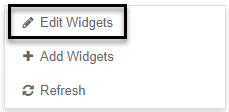
- Right click in a blank space
- Select Edit Widgets option
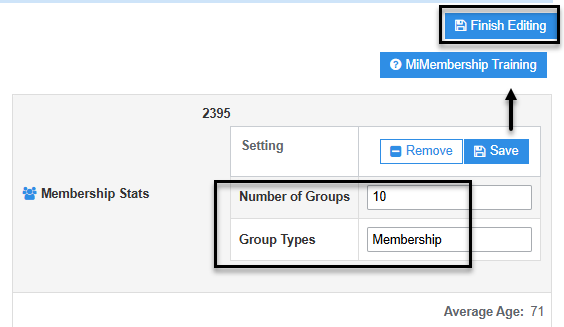
- Edit the Values to change the view of the widget
- Select Save button
- Click Finish Editing button (located top right-hand side of screen)
Was this article helpful?
That’s Great!
Thank you for your feedback
Sorry! We couldn't be helpful
Thank you for your feedback
Feedback sent
We appreciate your effort and will try to fix the article