Discounts can be used to offer a dollar or percentage value discount on invoices, with specific selection on the invoice charges that are to be either included or excluded from the applied discount. Discounts can be added or removed from an invoice during or after the Create Invoice process.
To create a new discount follow the instructions on how to Create a Discount >
Quick Guide
Step 1. Locate and Edit the individual Invoice
- Navigate the main menu to Financials and the Invoice Repository OR from the member record use the Member Action button and navigate to Financials, then Invoices
- Click the Invoice Action button and select the Edit Invoice option
| Invoice Repository | Member Record |
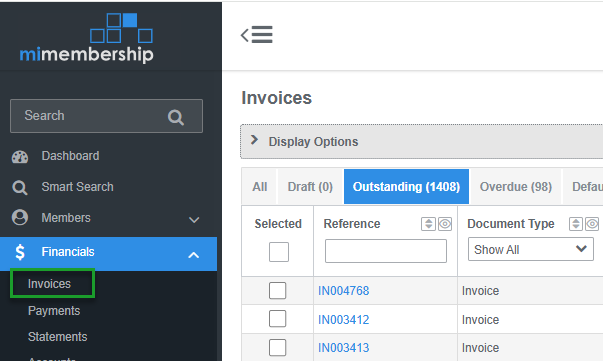 | 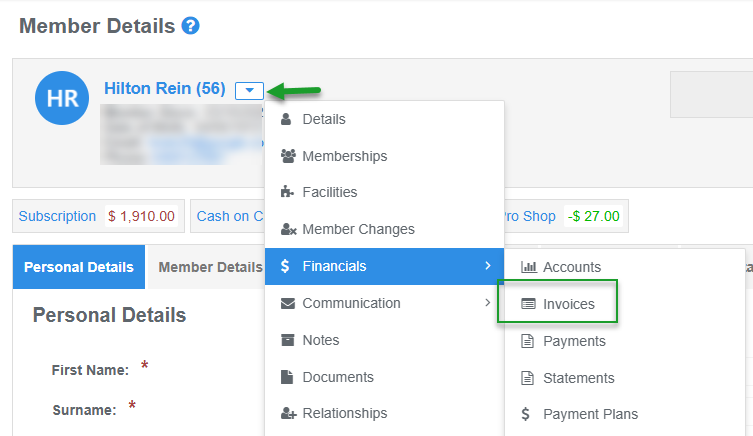 |
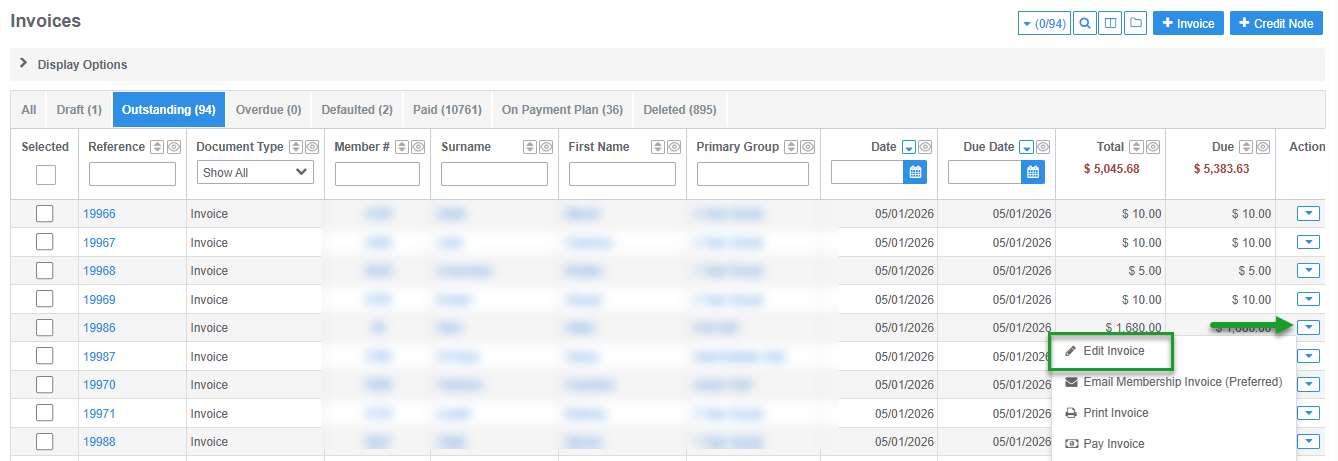 | 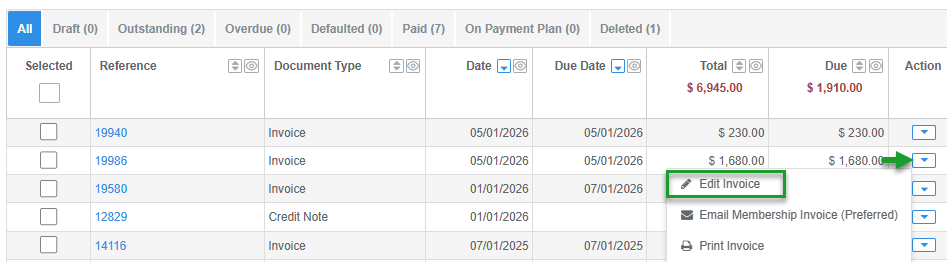 |
Step 2. Apply or Remove the Discount and Save
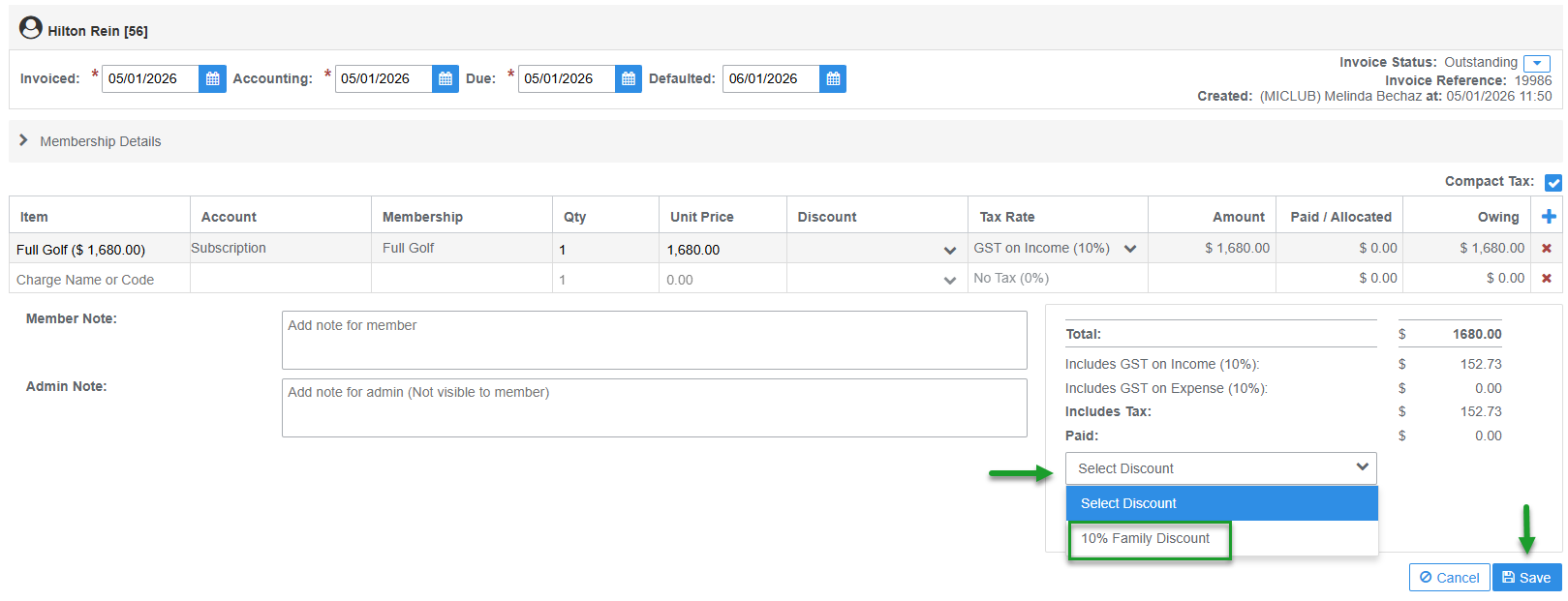
- To Apply: select the required discount from the Select Discount menu and click the Save button. This action can also be completed during the Create Invoice process
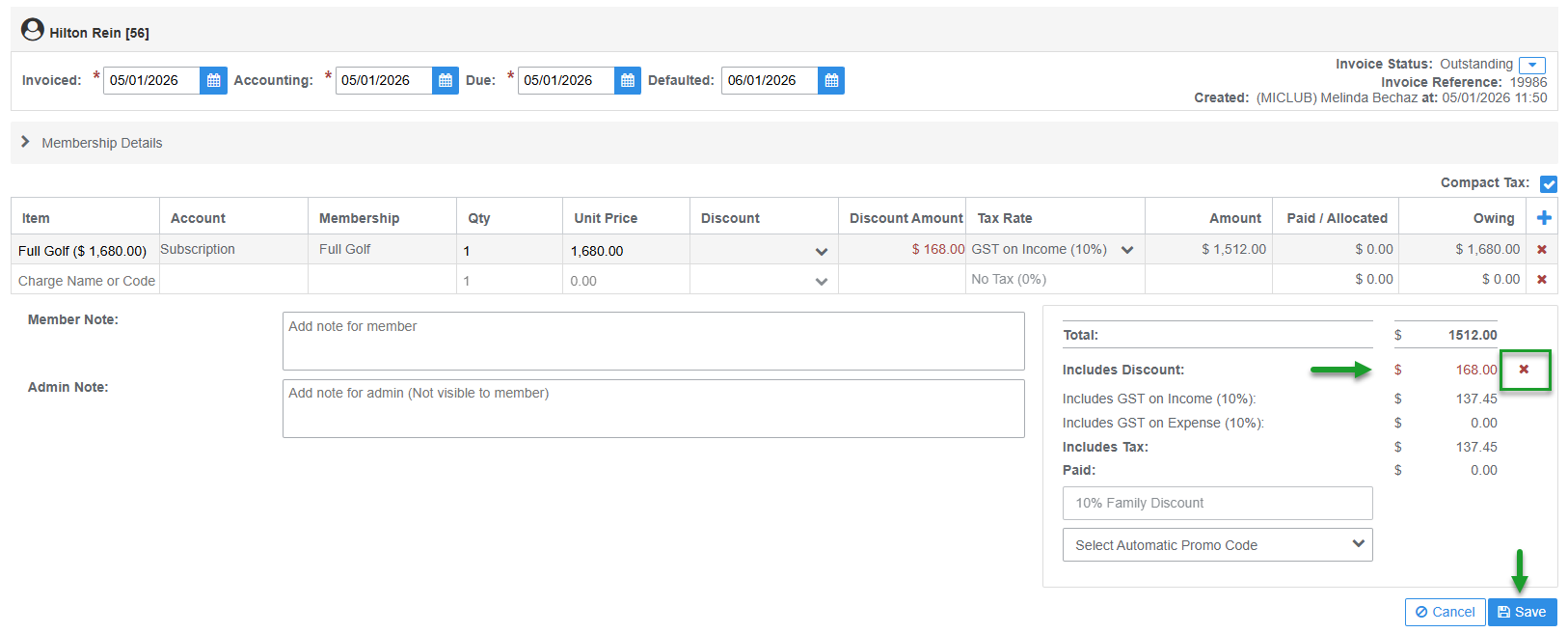
- To Remove: click the Red Cross X icon next to the Discount in the invoice Total section and click the Save button
Was this article helpful?
That’s Great!
Thank you for your feedback
Sorry! We couldn't be helpful
Thank you for your feedback
Feedback sent
We appreciate your effort and will try to fix the article