There are two available processes to remove a widget from the dashboard:
Process 1 - edit the dashboard widget
- Select Dashboard from the main menu
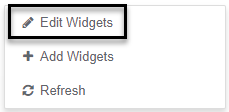
- Right click in a blank space
- Select Edit Widgets menu option
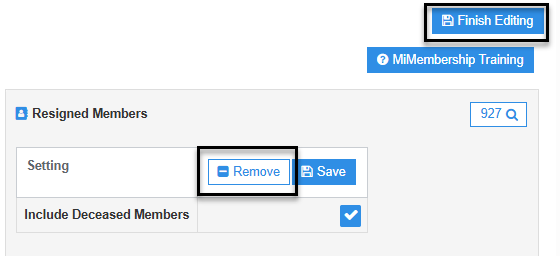
- Click the Remove button
- Click the Finish Editing button (located top right-hand side of screen)
Process 2 - add the dashboard widget
- Select Dashboard from the main menu
- Right click in a blank space
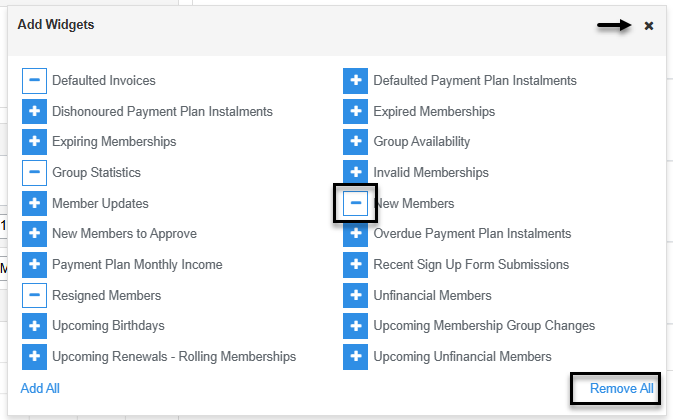
- Select Add Widgets menu option to open the widgets window
- Click the Remove button (negative symbol next to the widget name), or Remove All link
- Close the Add Widgets window
Was this article helpful?
That’s Great!
Thank you for your feedback
Sorry! We couldn't be helpful
Thank you for your feedback
Feedback sent
We appreciate your effort and will try to fix the article