Use the GL Integration toll to validate and send journal entries from MiMembership to your General Ledger - either individually or in batches.
General Ledger (GL) integration is a paid module. Please contact your account manager for pricing and activation.
Step 1 - Open GL Integration and Set Date Ranges
- From the main menu, navigate to Financials and then GL Integration. The default screen displays the Oldest Journal Not Sent date alongside any Transactions not posted to GL.
- Set the From and Up To date range for the journals you want to send (this defaults to the current one-week period).
- Tip: Set the From date to match the Oldest Journal Not Sent date. Backdated transactions (such as direct deposit payments) may have been entered into MiMembership after that date's original journal was already sent.
- Click Refresh. (Note: Journals may take longer to load if an extended period has passed since your last sync.)

Step 2 - Review and Select Journal Entries
- Optional: To inspect individual transactions within a journal, click the Journal Number TBA link. This opens the detailed breakdown in a new browser tab, where you can review the entries or download them as an .xlsx file.
- Select the journals you want to transfer by checking the boxes next to individual entries, or click Select All.
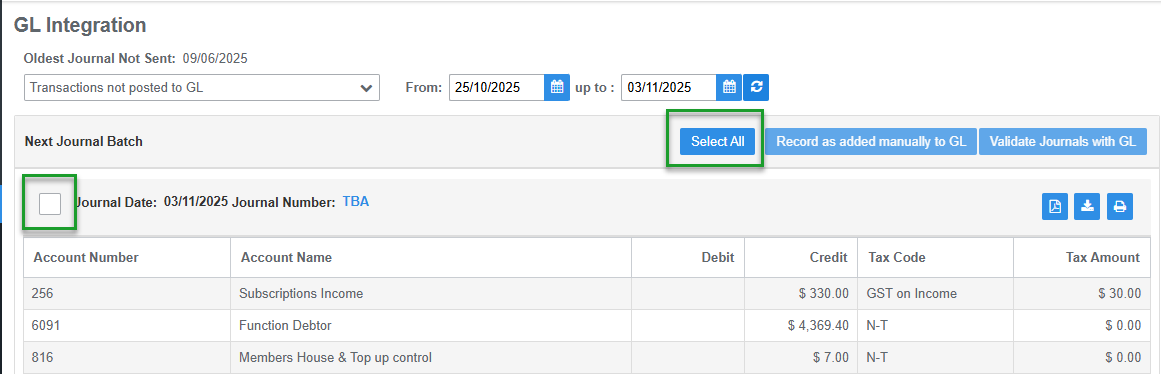
Step 3 - Validate and Send Journals to the GL
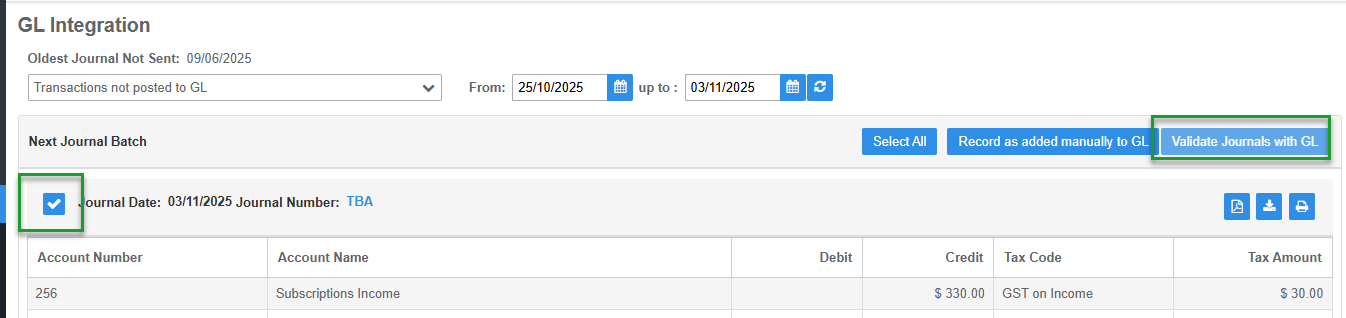
- Click Validate Journals with GL. MiMembership will request validation and authorization from your connected GL system.
- Once validation is confirmed, click Send to GL (this button appears automatically after validation succeeds).
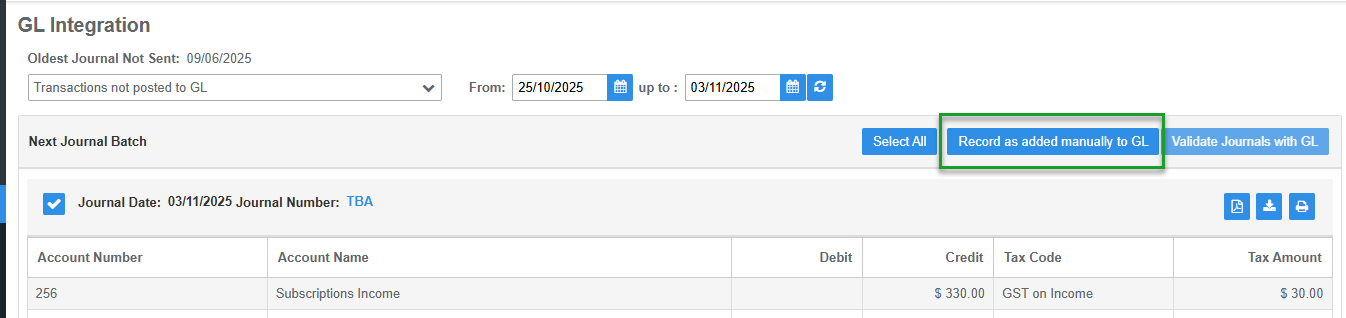
Warning — "Record as manually added to GL": Do not select this option if you intend to send journals through the integration. Only use this option for balanced journals that do not need to be sent to your GL, or for entries you have already created manually inside your GL system.
Was this article helpful?
That’s Great!
Thank you for your feedback
Sorry! We couldn't be helpful
Thank you for your feedback
Feedback sent
We appreciate your effort and will try to fix the article