The auto clear functionality is designed to automatically send the balance of an account to the payment gateway to be processed on a given date.
From time to time it may be necessary to remove a transaction prior to processing, edit the account and re-send.
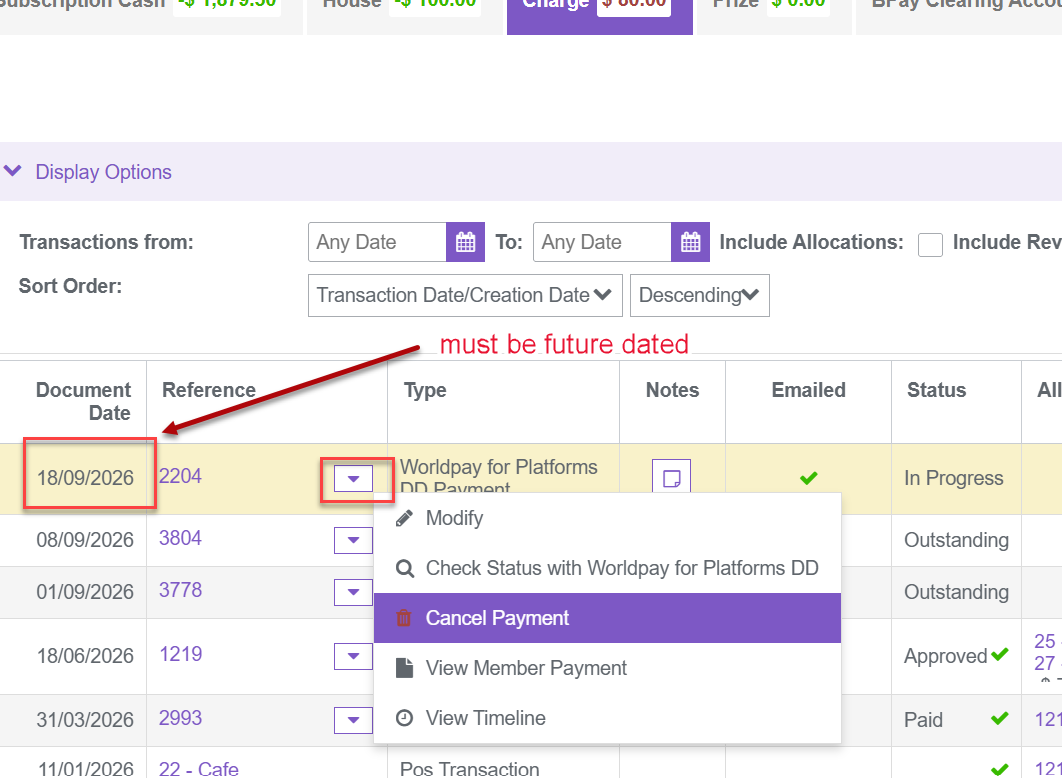
Cancelling payment.
This can only be done prior to the processing date on the transaction
1. Navigate to the member's account
2. If payment document date is in the future use the action dropdown and cancel payment
Manually sending payment
1. Navigate to the member's account
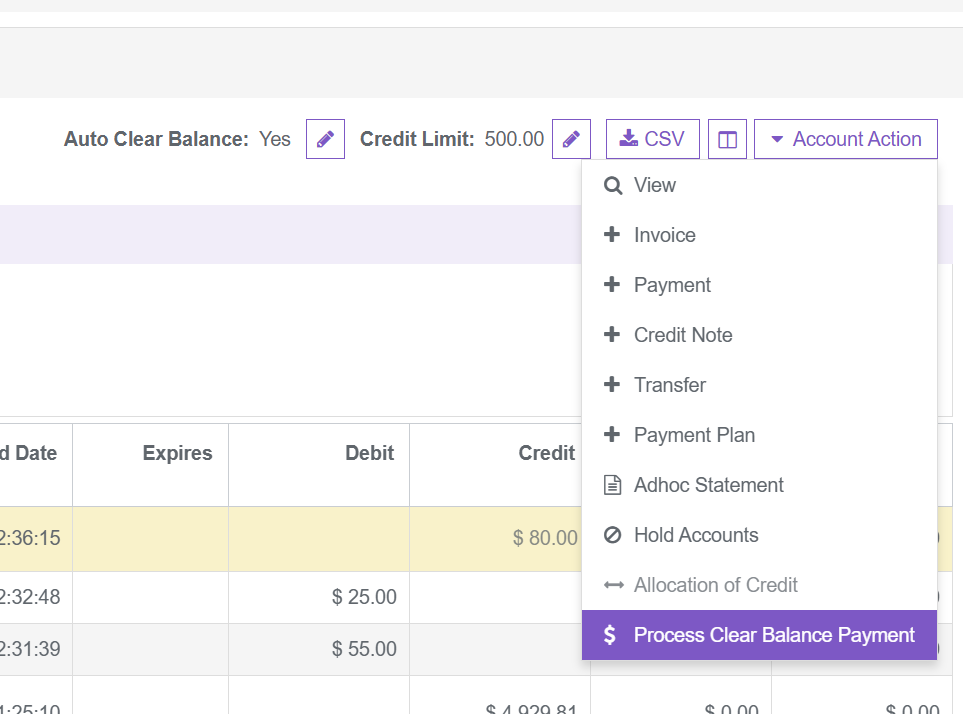
2. Using the Account action dropdown button, select "Process Clear Balance Payment"
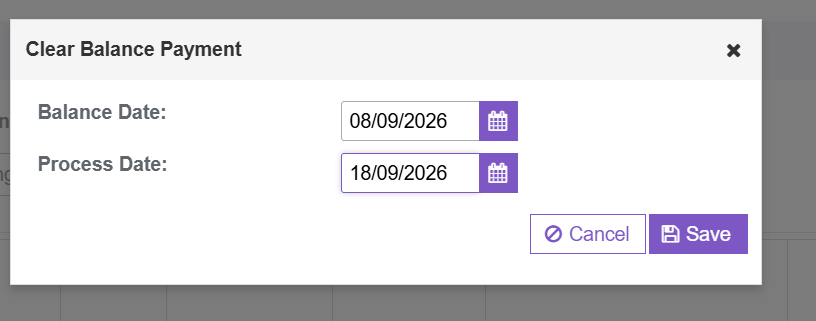
3. Enter the date you wish the balance to be processed from and the date you wish the payment to be processed and save
Was this article helpful?
That’s Great!
Thank you for your feedback
Sorry! We couldn't be helpful
Thank you for your feedback
Feedback sent
We appreciate your effort and will try to fix the article