Use Smart Search to quickly identify members who meet specific criteria, such as membership type, gender or handicap range.
In this example, we'll create a search to find members in the Full golf membership group who have a handicap between 0 and 20.
Steps – Create and Run a Smart Search
- Select Smart Search from the main menu.
- Select Members from the Search Output options.
- Click Next: Build Criteria.
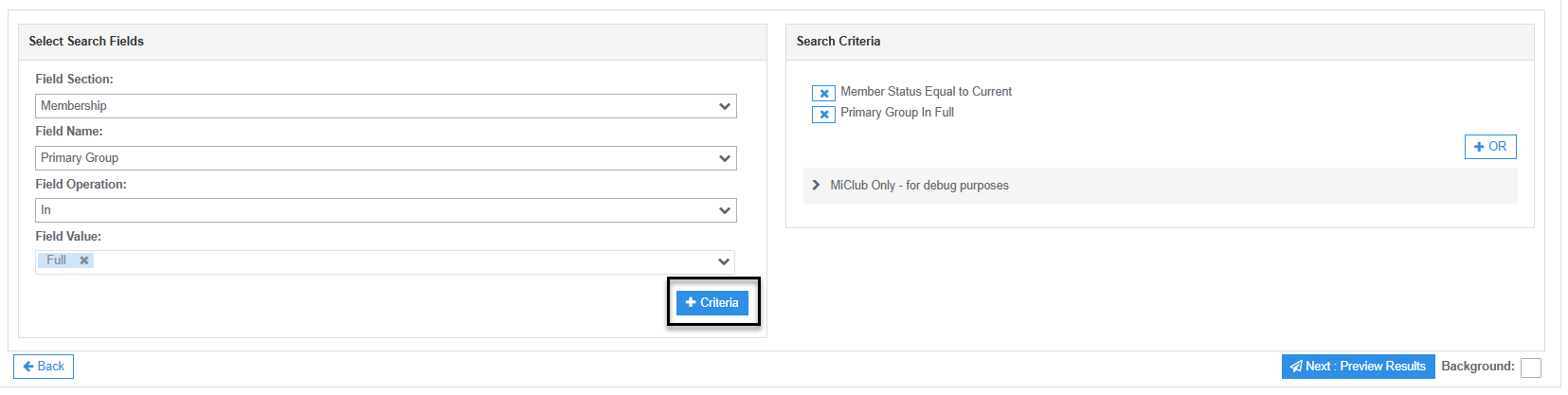
- Set the membership criteria using the following Search Field options:
- Field Section: Memberships
- Field Name: Primary Group
- Field Operation: In
- Field Value: Full
- Click the + Criteria button to add another search condition.
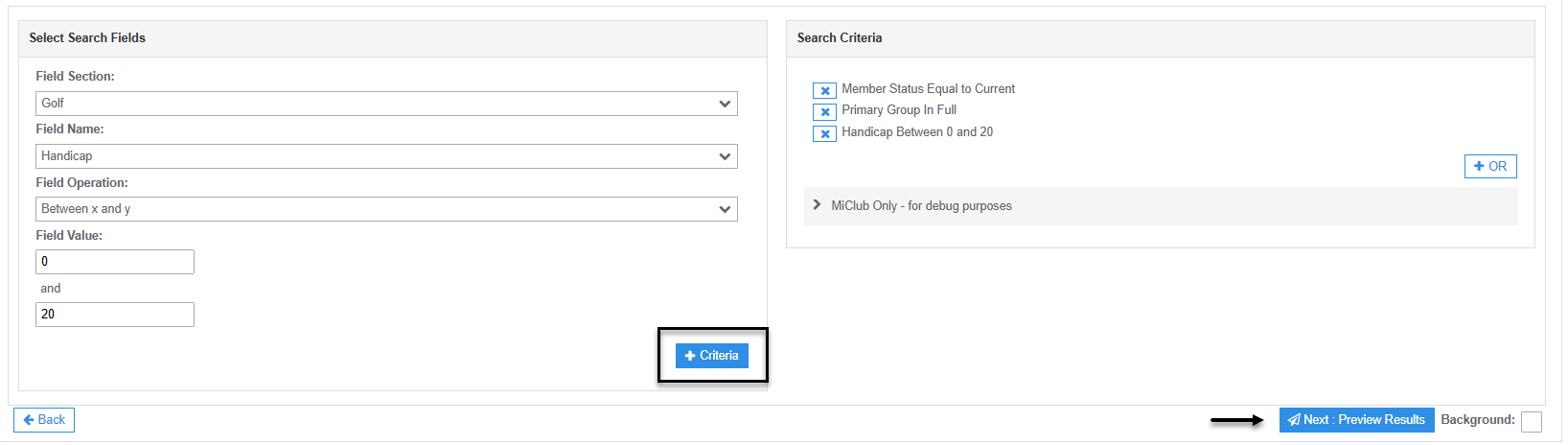
- Set the handicap criteria using the following Search Field options (optional):
- Field Section: Golf
- Field Name: Handicap
- Field Operation: Between x and y
- Field Value: 0 and 20
- Click the + Criteria button to add the criteria.
- Click Next: Preview Results to run the search and display a list of members matching your selected criteria.
Export Search Results to CSV
To export the search results to a CSV file:
- Tick the Select All checkbox.
- Click the Bulk Action button.
- Select Export Members from the available menu options.
Was this article helpful?
That’s Great!
Thank you for your feedback
Sorry! We couldn't be helpful
Thank you for your feedback
Feedback sent
We appreciate your effort and will try to fix the article