Financial reports generate results from all financial and transactional data. This may include invoices, fees and charges, account balances, payments, POS transactions and other external transactions (integration).
The financial reports can be downloaded to PDF or CSV files and redirected to a Repository where a number of Bulk Actions can be applied to results. Follow the instructions on how to Generate a Report >
Below is a brief description of the financial reports available for Account Types and Account Transactions.
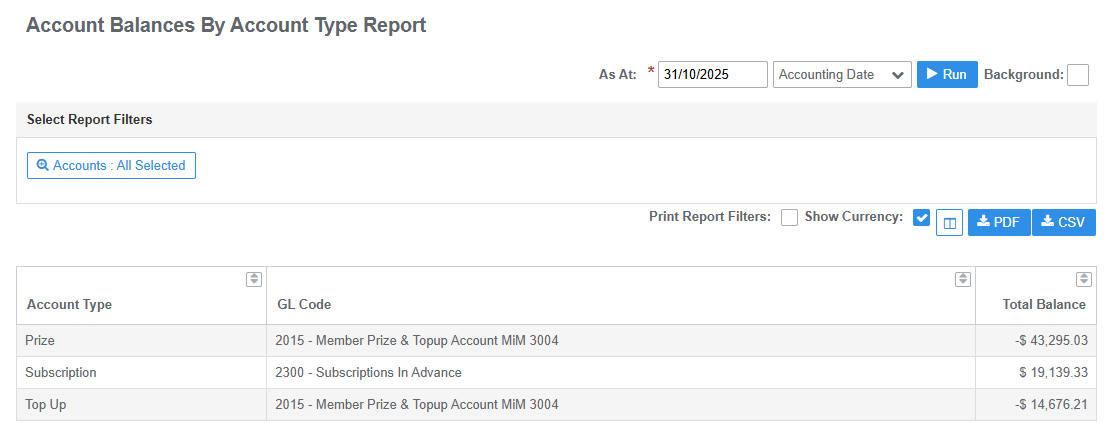
Account Balances by Account Type
The total balance of accounts as at date
- Returns results by Account Type
- Output includes accounts Total Balance and GL code description (if applicable)
Account Movements
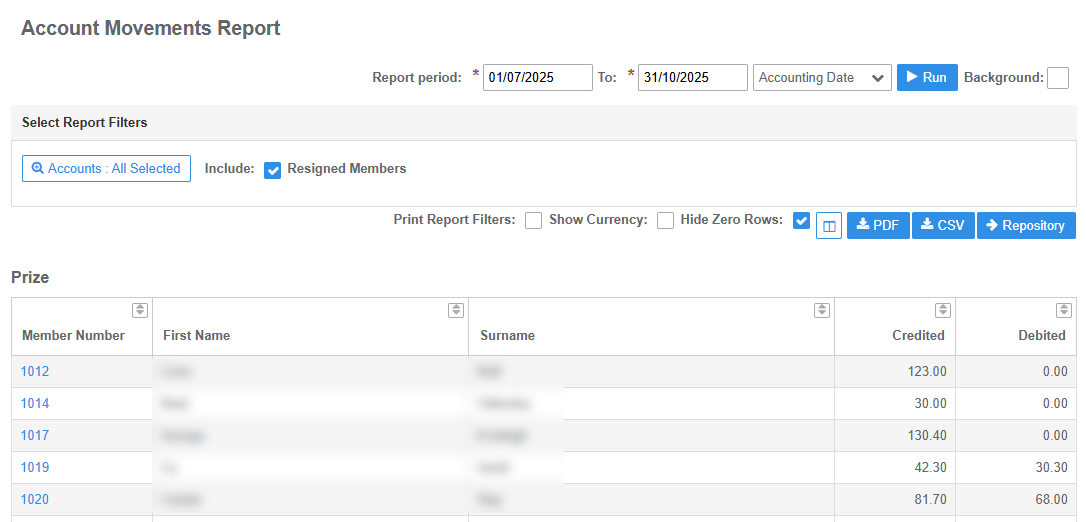
The total amounts credited and debited to the account by member during the report period
- Returns results by Account Type
- Output includes Member Number and Member Name, total Credits and Debits
- Use filters to select individual account types and exclude resigned member records
Account Transfers
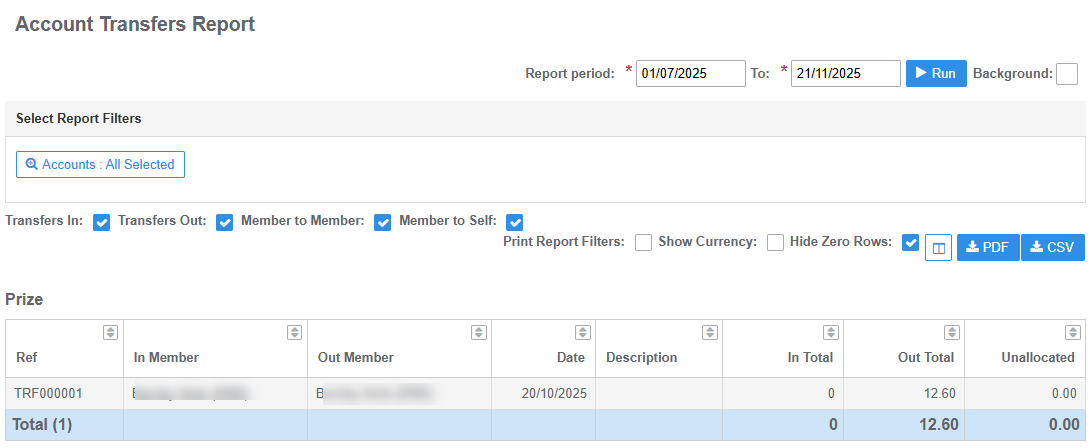
Detailed list of transfers made In and Out of accounts during the report period
- Returns results by Account Type
- Output includes Member In, Member Out, Date Description (entered at time of transfer) and Total
- Use filters to select Account and Transfer Types
Aged Balances by Account Type
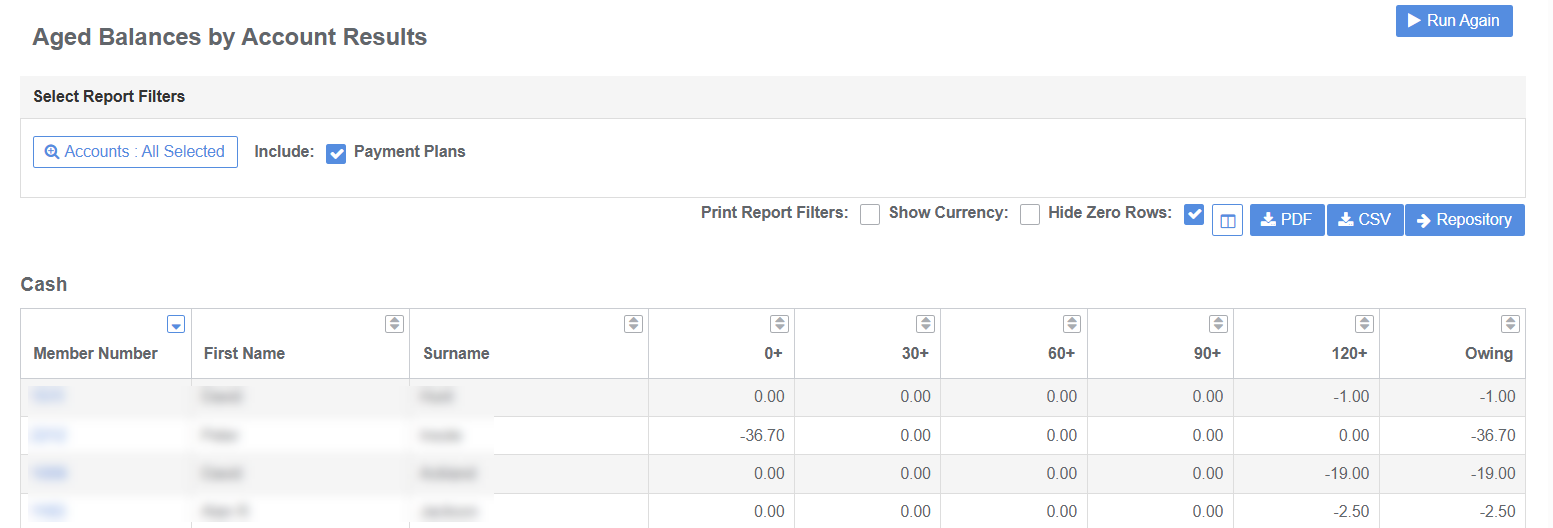
The total balance of Account Types including aged periods as at date
- Returns results by Account Type
- Output includes Member Number, First Name, Surname, Age Balance Days and Total Balance Owing
- Use filters to select Account Types and to include or exclude Payment Plans
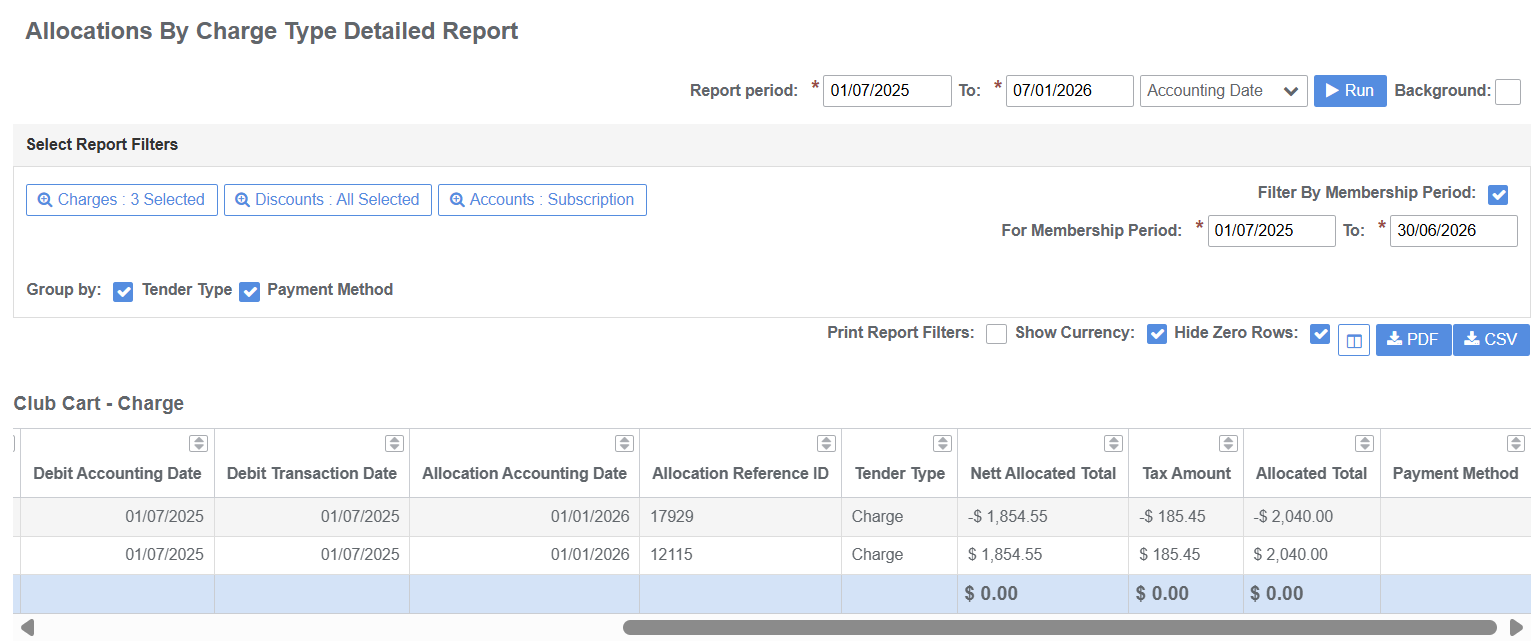
Allocations by Charge Type Detailed
Detailed list of credit and debit transaction allocations by member and report period for the selected account/s
- Returns results by Charge Type and Payment Type and may be Grouped by Tender Type and Payment Method
- Output includes Charge Name, Member Number, First Name Surname, Refences, Credit and Debit Transaction Dates, Allocation Dates, Nett Amount, Tax Amount, Total Allocated Amount
- Use filters to include and exclude Charge Types, Accounts Types and set Membership Period dates
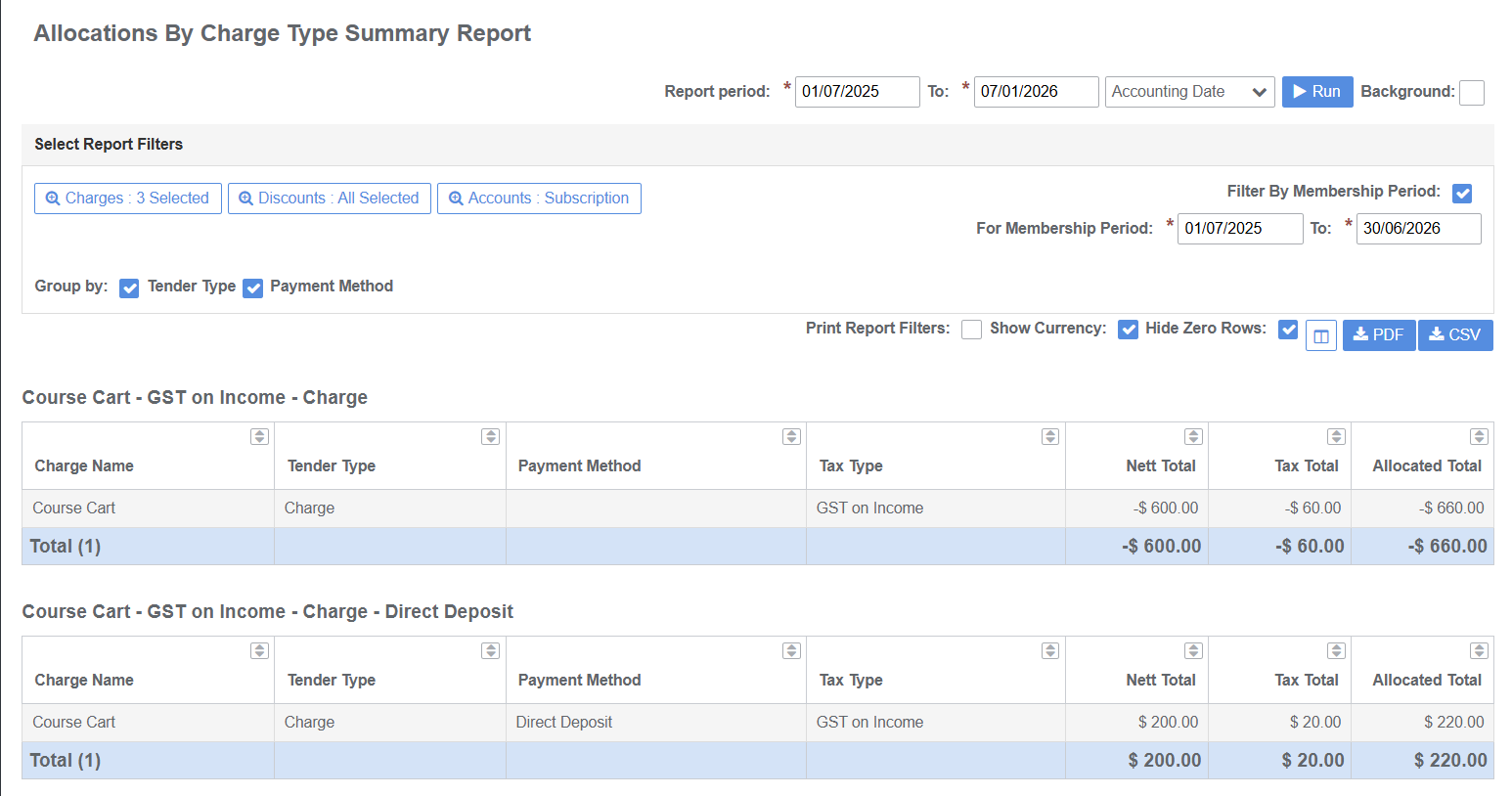
Allocations by Charge Type Summary
Lists the credit and debit transaction allocations by report period for the selected account/s
- Returns results by Charge Type and may be Grouped by Tender Type and Payment Method
- Output includes Charge Name, Tender Type, Payment Method, Tax Type, Nett Amount, Tax Amount, Total Allocated
- Use filters to include and exclude Charge Types, Accounts Types and set Membership Period dates
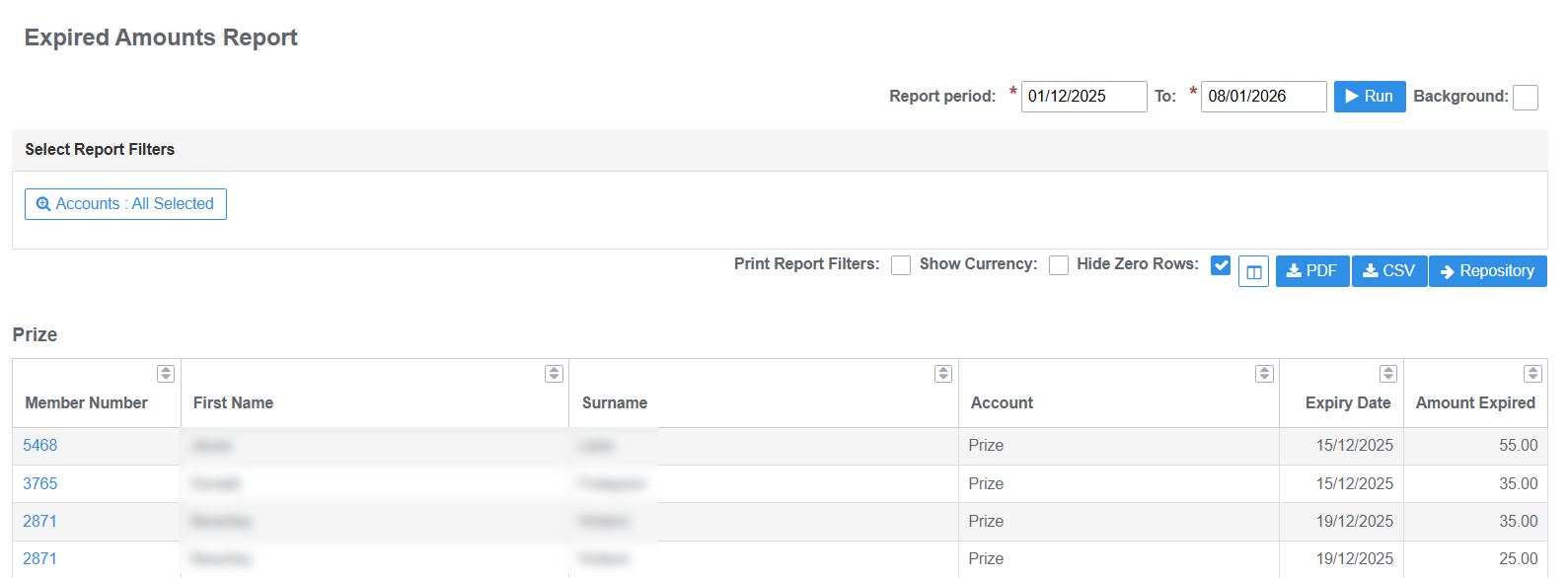
Expired Amounts
Unused credit transaction balances expired during report period e.g. prize or or levy credits
- Returns results by Account Type and Member
- Output includes Member Number, First Name, Surname, Account Type, Expiry Date and Amount Expired
- Use filters to select Account Types
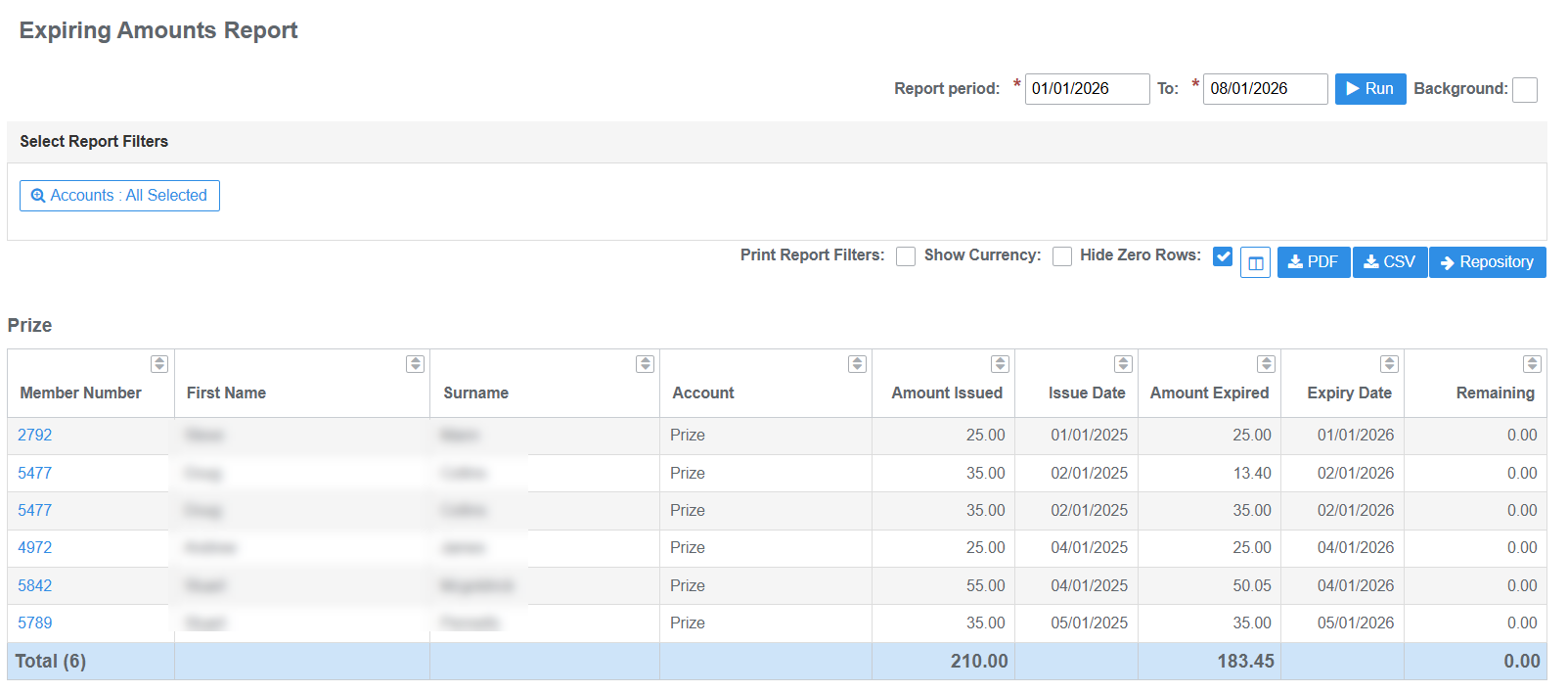
Expiring Amounts
Credit transactions due to expire in report period e.g. prize or or levy credits
- Returns results by Account Type and Member
- Output includes Member Number, First Name, Surname, Account Type, Amount Issued, Issue Date, Amount Expired, Expiry Date and Remaining Balance
- Use filters to select Account Types
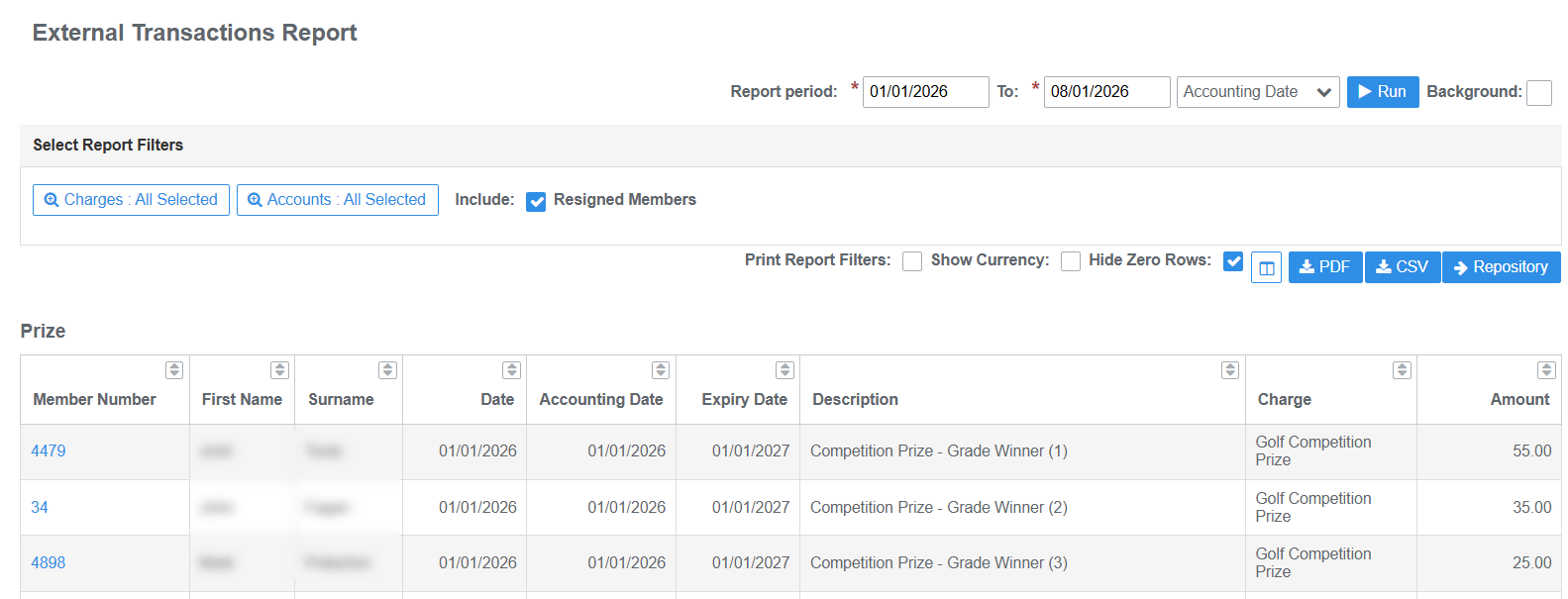
External Transactions
Transactions credited to account from external provider i.e. MiClub Golf competition and ball prizes
- Returns results by Account Type and Member
- Output includes Member Number, First Name, Surname, Issued Date, Accounting Date, Expiry Date, Description, Charge Type and Amount
- Use filters to select Charge and Account Types and exclude Resigned Members
Imported Transactions
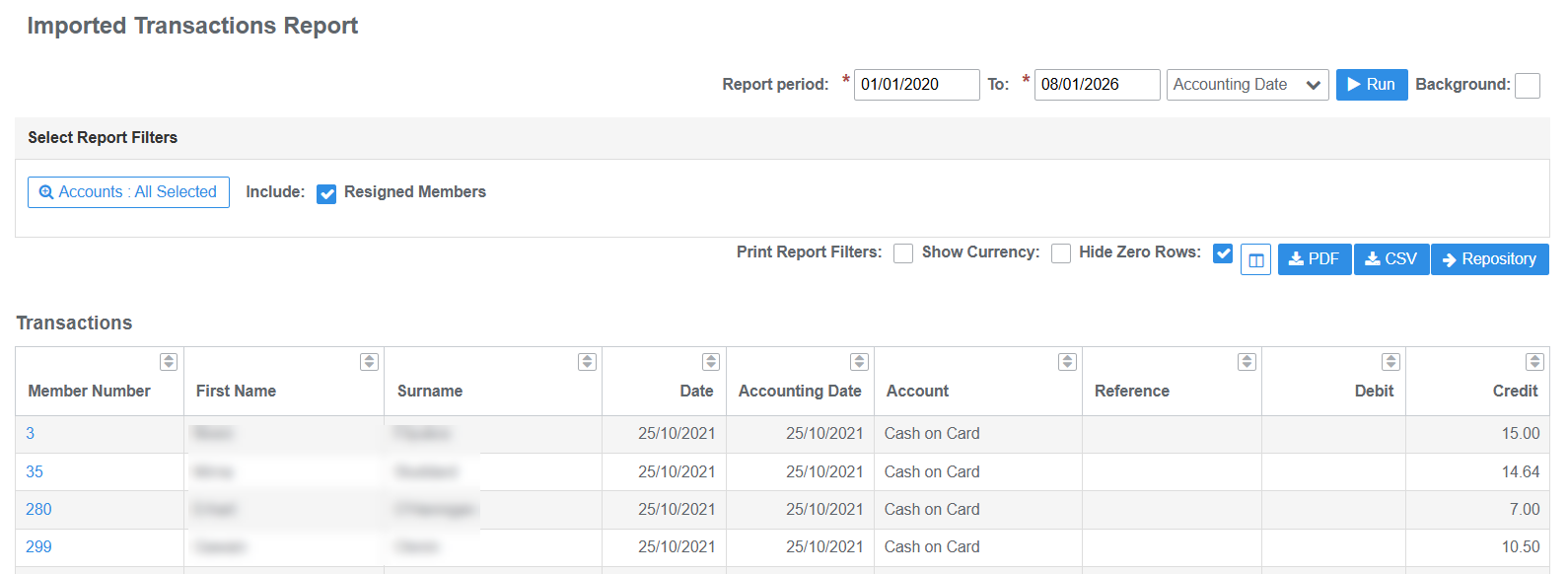
Transactions imported to account/s from incumbent systems on implementation of MiMembership database
- Returns results by Account Type and Member
- Output includes Member Number, First Name, Surname, Import Date, Accounting Date, Account Type, Credit or Debit Amount
- Use filters to select Account Types and exclude Resigned Members
Member Balances
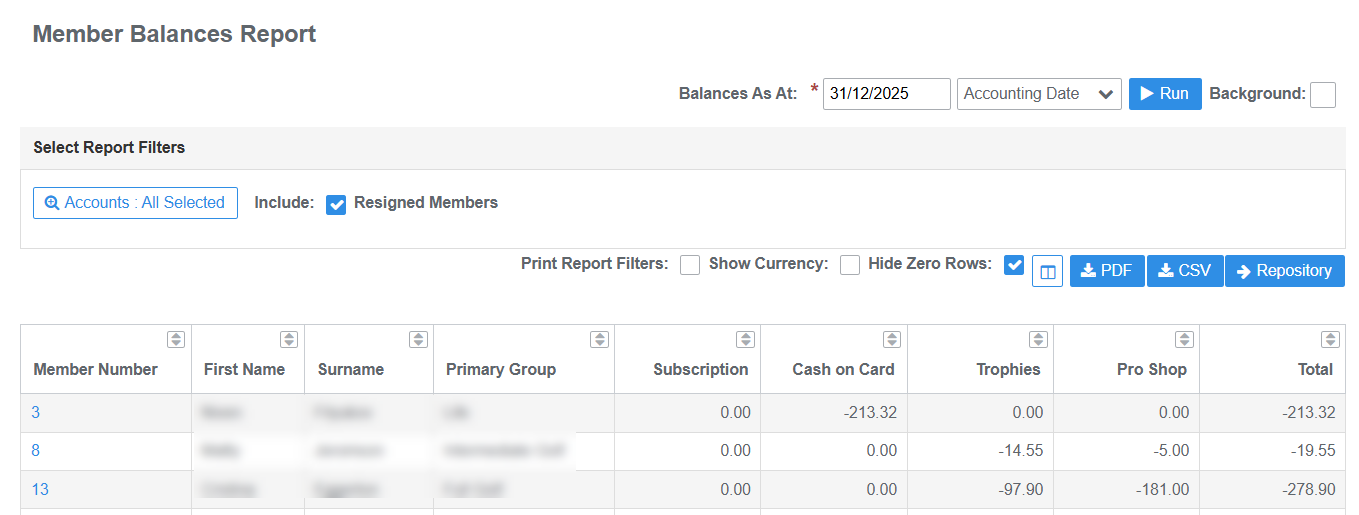
Account balances by member as at date for selected account types
- Returns results by member
- Output includes Member Number, First Name, Surname, Primary Group, Balance of each Accounts and combined Total Amount of all Accounts selected
- Use filters to select Account Types and exclude Resigned Members
Member Spend
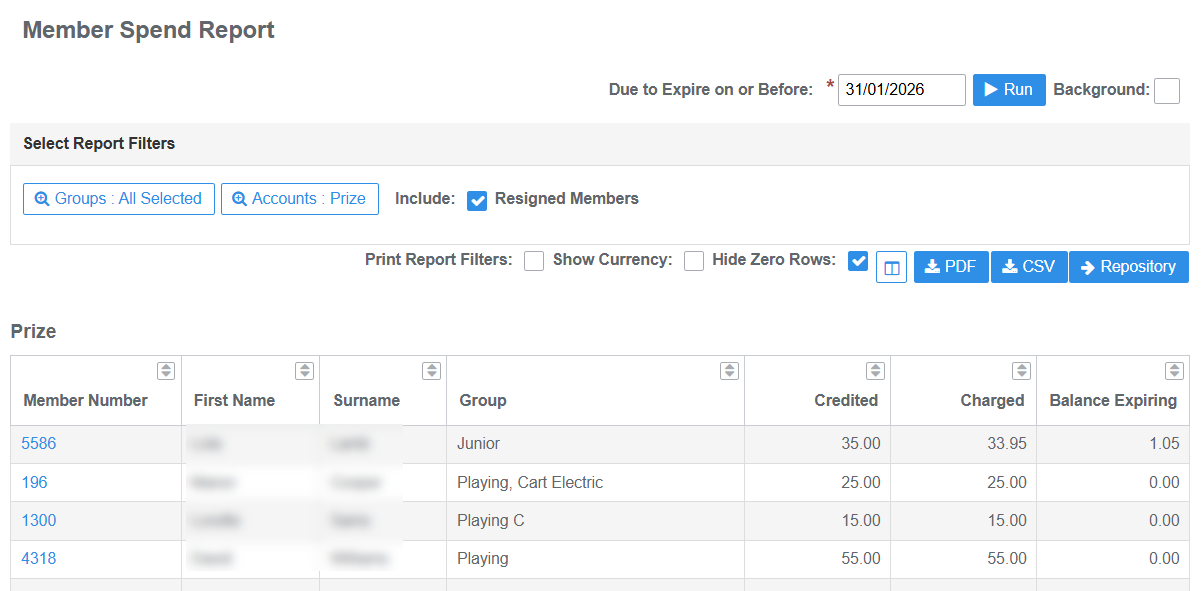
Details the balance remaining on credit transaction balances due to expire on or before due date
- Returns results by Account Type and Member
- Output includes Member Number, First Name, Surname, Membership Groups, Credit Amount, Charged Amount and Balance Expiring
- Use filters to select Account Types and exclude Resigned Members
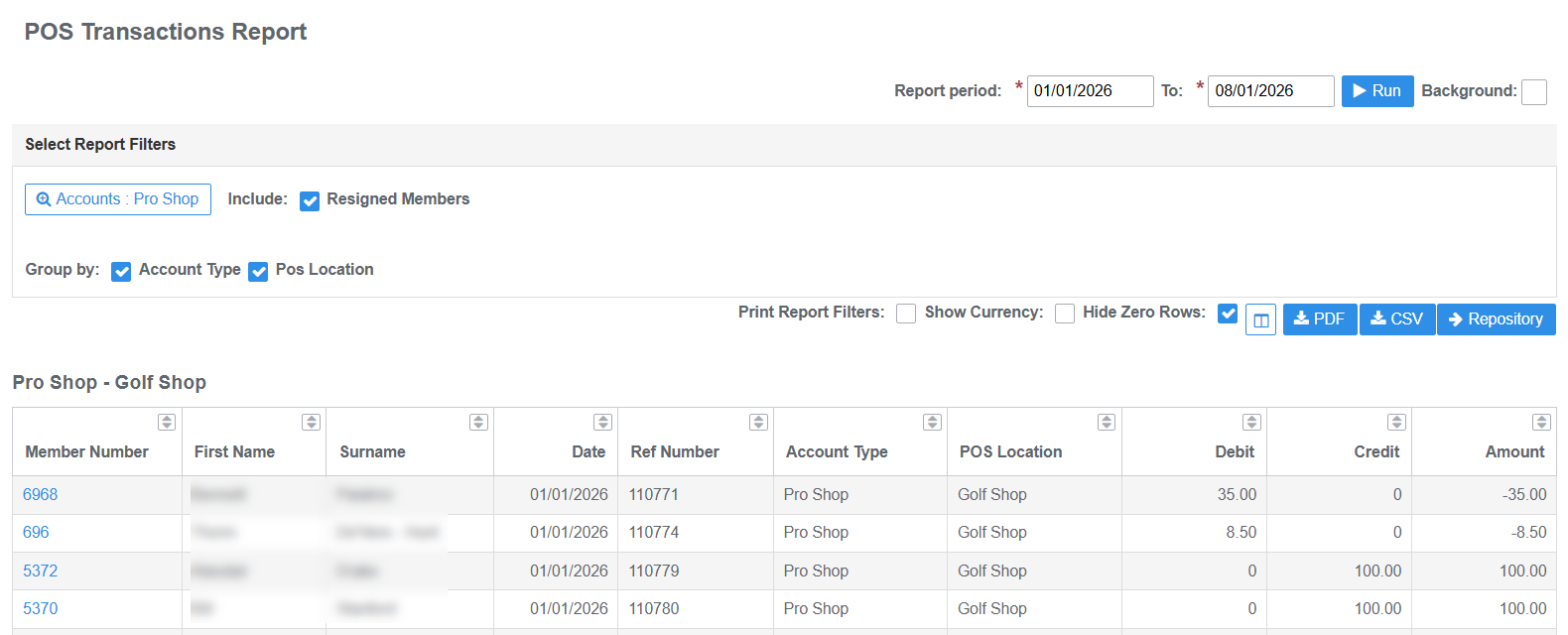
POS Transactions
Transactions generated in the POS system and charged or credited to accounts i.e. food and beverage purchases or account top-ups
- Returns results by Account Type and POS Location
- Output includes Member Number, First Name, Surname, Transaction Date, Reference Number )POS), Account Type, POS Location, Debit Amount (charge), Credit Amount (top-up or refund), Total Amount
- Use filters to select Account Types and exclude Resigned Members
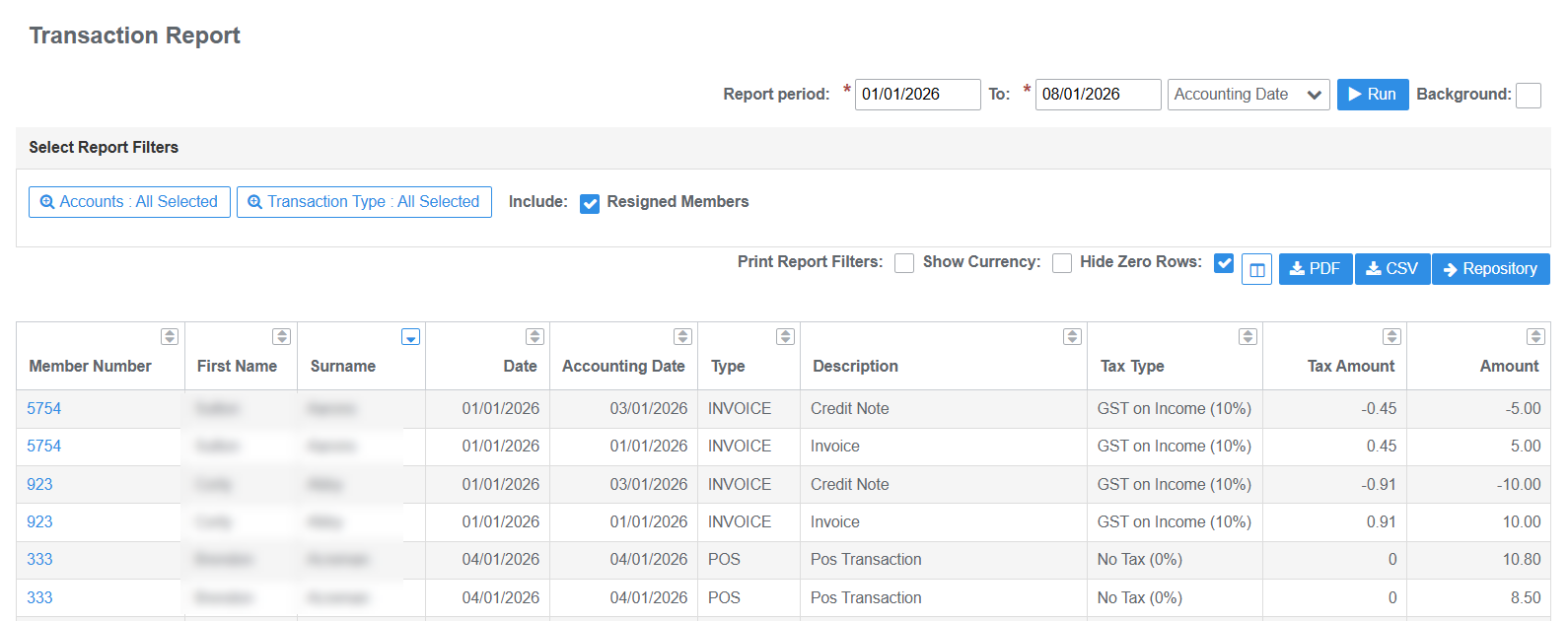
Transaction (Account)
All transactions recorded on member accounts for report period. Includes invoices, credit notes, payments, external and POS transactions
- Returns results by member
- Output includes Member Number, First Name, Surname, Transaction Date, Accounting Date, Transaction Type and Description, Tax Type, Tax Amount and Transaction Amount
- Use filters to select Account Types and Transaction Types and exclude Resigned Members
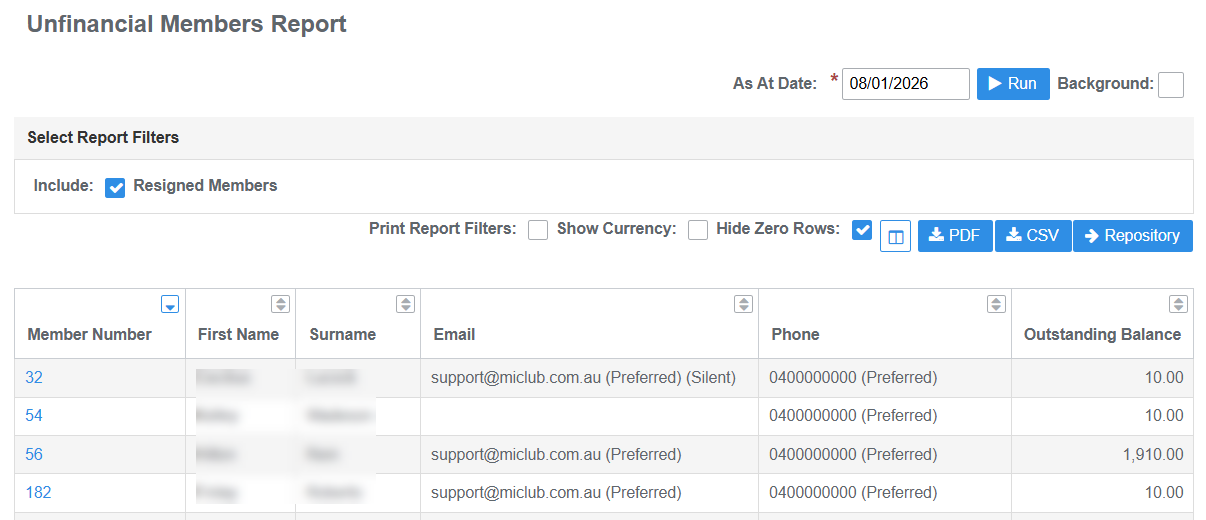
Unfinancial Members
Member records that have memberships groups with an unfinancial status due to outstanding account balances as at date
- Returns results by Member
- Output includes Member Number, First Name, Surname, Email, Preferred Phone, Outstanding Balance
Was this article helpful?
That’s Great!
Thank you for your feedback
Sorry! We couldn't be helpful
Thank you for your feedback
Feedback sent
We appreciate your effort and will try to fix the article