Financial reports generate results from all financial and transactional data. This may include invoices, fees and charges, account balances, payments, POS transactions and external transactions (prize integration)
The financial reports can be downloaded to PDF or CSV files and redirected to a Repository where a number of Bulk Actions can be applied to results. Follow the instructions on how to Generate a Report >
Below is a brief description of the financial reports available for Invoices, Credit Notes, Charges and Payments and Payment Plans
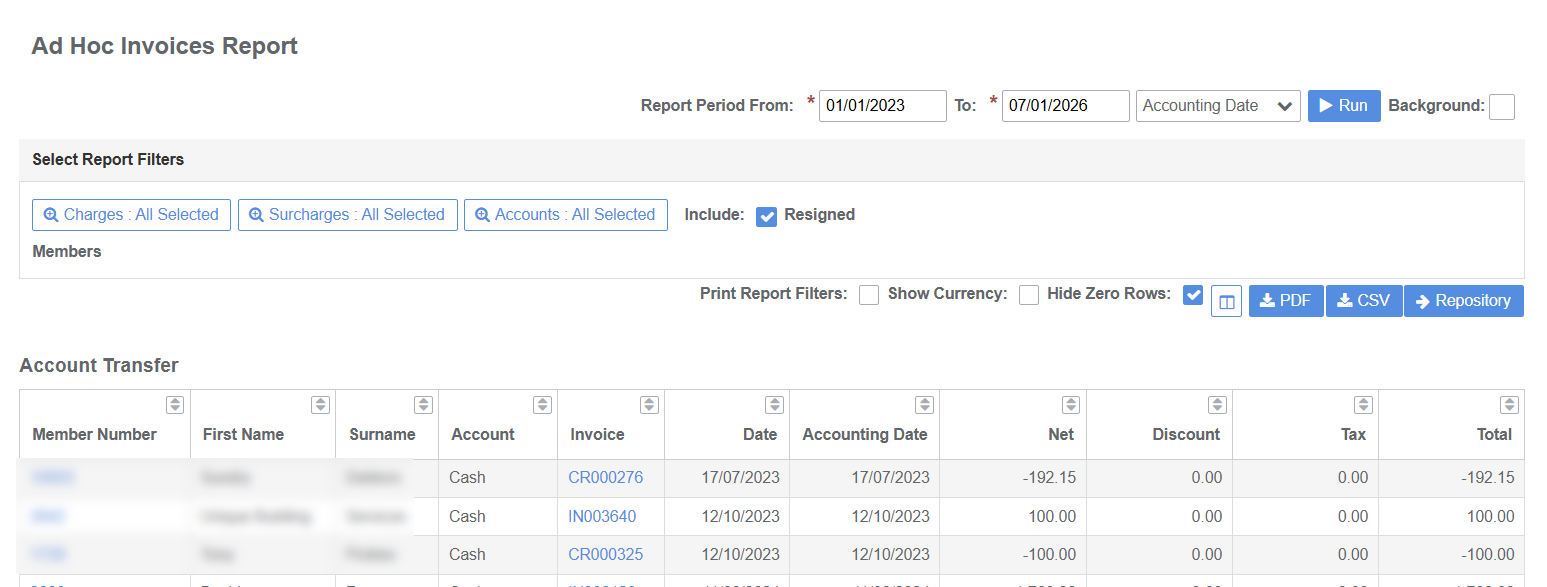
Ad Hoc Invoices
Debtor or ad hoc invoices and credit notes not linked to a membership group for the report period. Includes member data
- Returns results by Charge Type
- Output includes Member Number, First Name, Surname, Account Type, Invoice Reference, Invoice Date, Invoice Accounting Date, Discounts (if applicable), Net Amount, Tax Amount Total Amount
- Use filters to select Charge Types, Account Types and to include/exclude Resigned Members
Membership Invoices
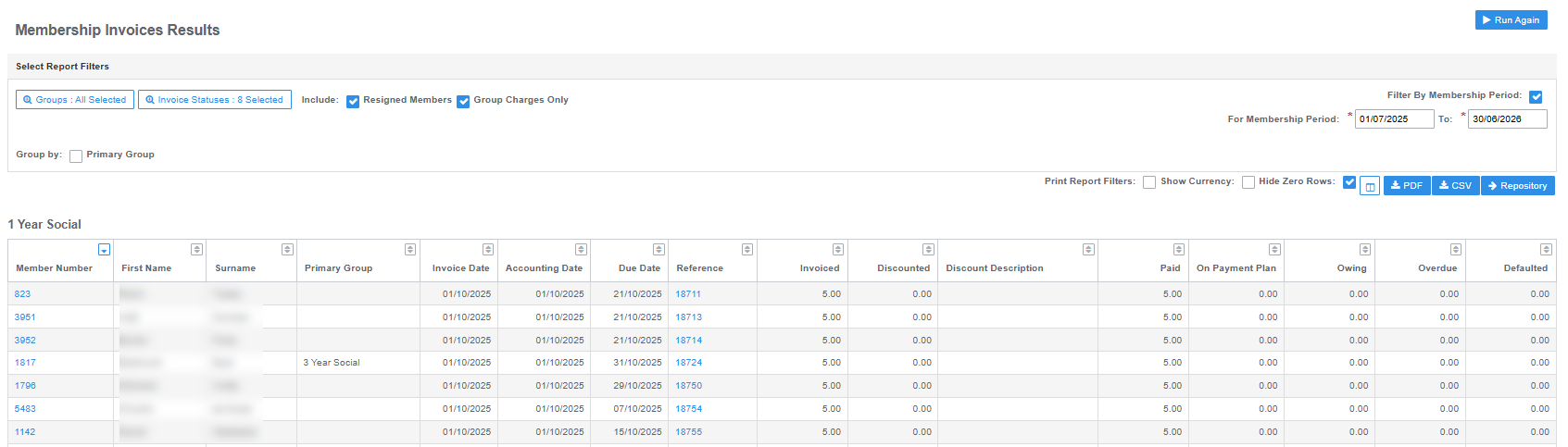
All invoices linked to a membership group for the report period and membership period. Includes member data
- Returns results by Group Charges or Group Type
- Output includes Member Number, First Name, Surname, Primary Group, Invoice Date, Accounting Date, Due Date, Reference, Amount Invoiced, Discount Amount and Description (if applicable), Amount Paid, Amount on Payment Plan, Amount Owing, Amount Overdue, Amount Defaulted
- Use filters to select Group Types, Invoice Statuses, exclude Resigned Members and Group by Charges or Primary Group
Outstanding Charges
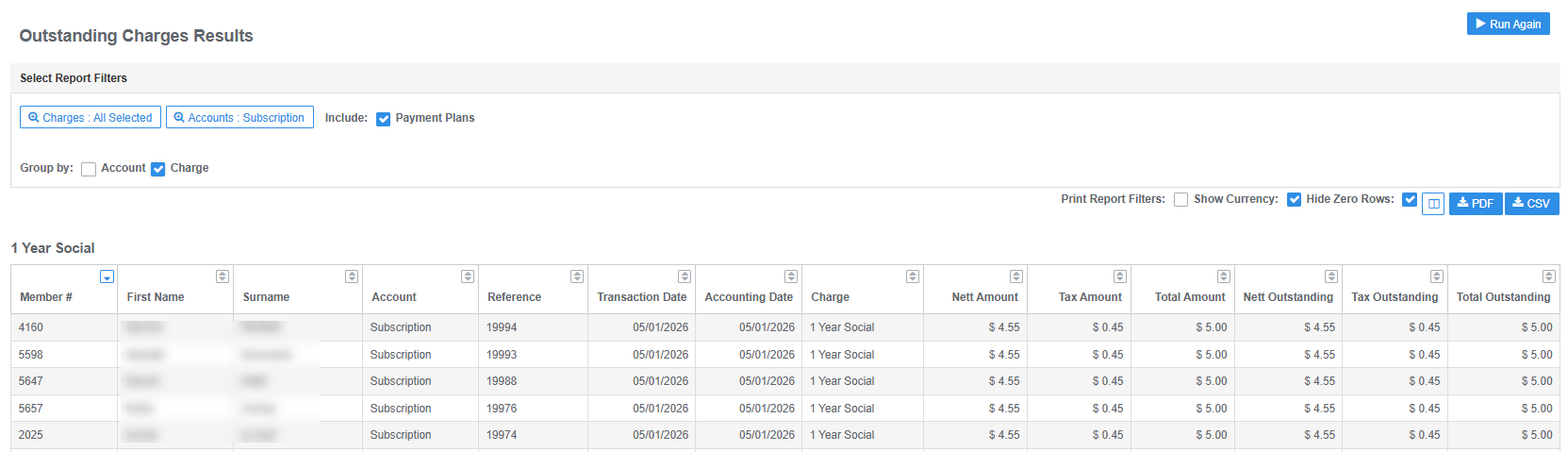
All outstanding charges on invoices as at date. Includes member data
- Returns results by Account Type or Charge Type
- Output includes Member Number, First Name, Surname, Reference, Transaction and Accounting Dates, Charge Type, Nett and Total Amounts, Tax Amount, Nett and Total Outstanding Amounts
- Use filters to select Charge and Account Types, include or exclude amounts on Payment Plans and group results by Account or Charge
Payment Plans Instalment Report - Detailed
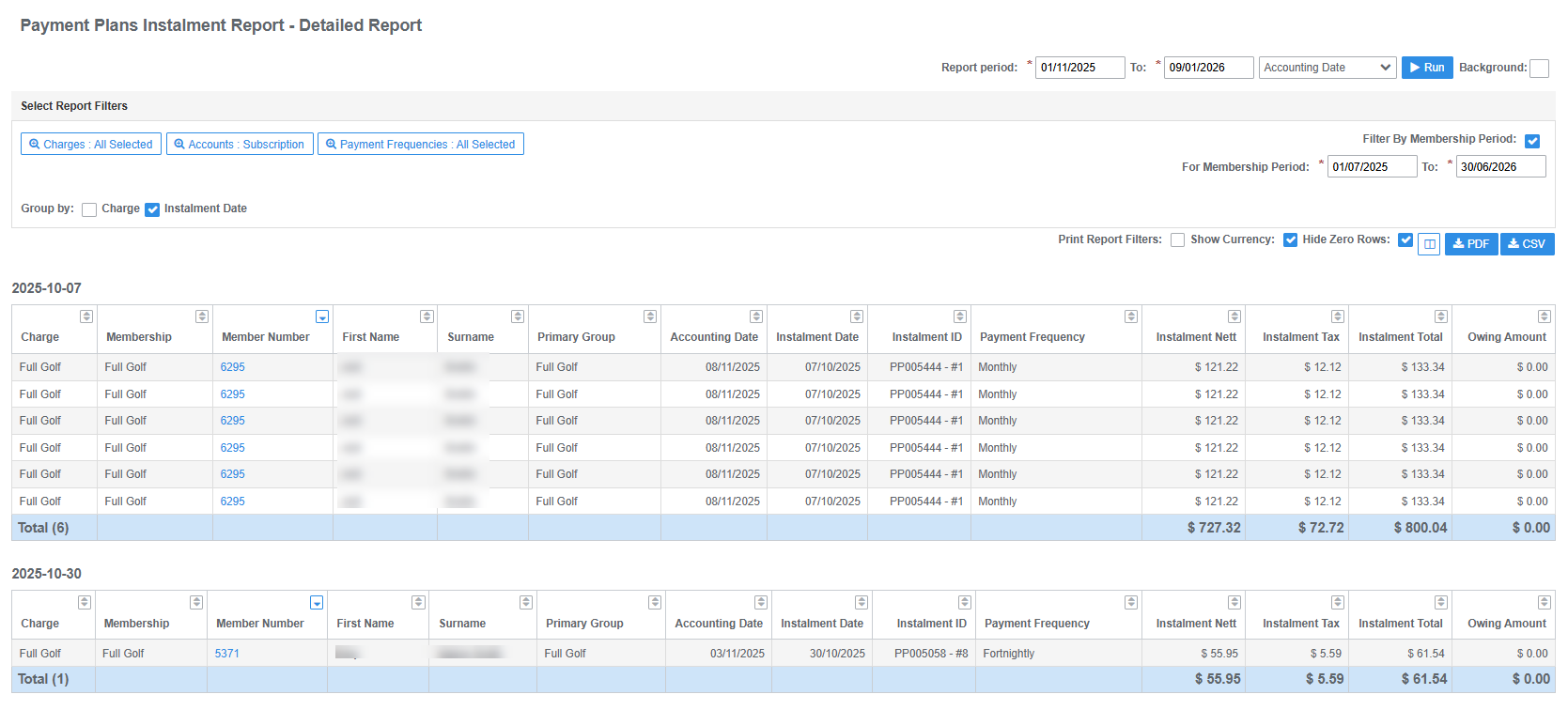
Detailed list of instalment charges invoiced for report period and membership period. Includes member data
- Returns results by Charge Type or Instalment Due Date
- Output includes Member Number, First Name, Surname, Charge Type, Membership Group, Accounting and Instalment Dates, Payment Frequency, Instalment Nett, Tax and Total Amounts and Amount Owing
- Use filters to select Charge Types, Account Types and Payment Frequencies and set membership period
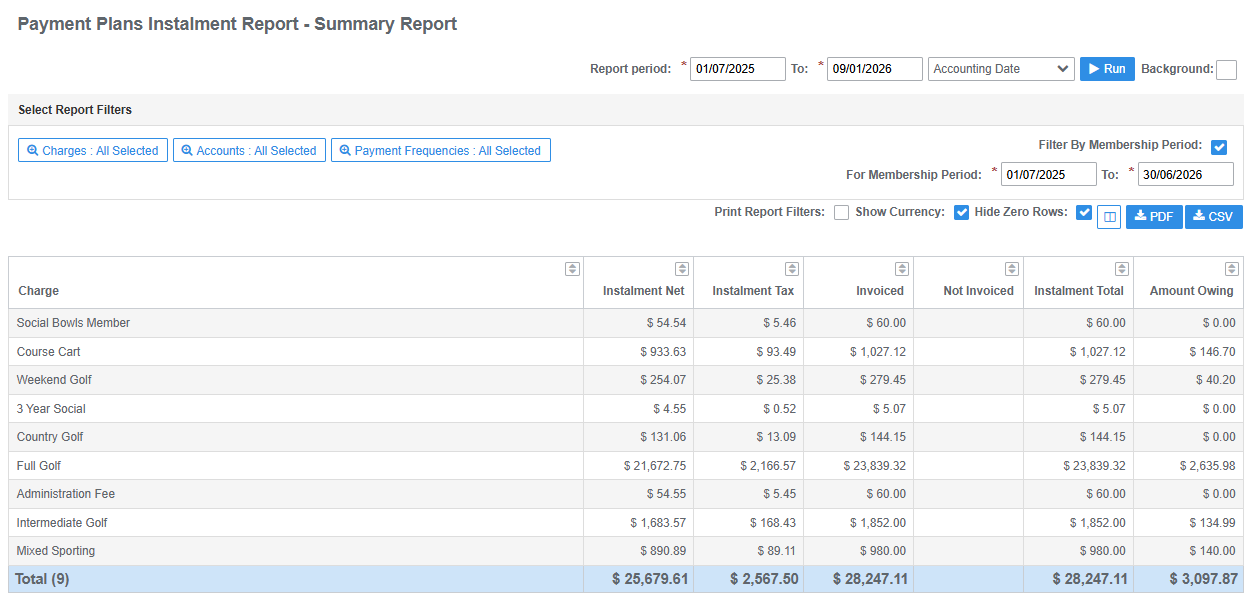
Payment Plans Instalment Report - Summary
Instalment charges invoiced for report period and membership period
- Returns results by Charge Type
- Output includes Charge Type, Instalment Nett, Tax and Total Amounts and Amount Owing
- Use filters to select Charge Types, Account Types and Payment Frequencies and set membership period
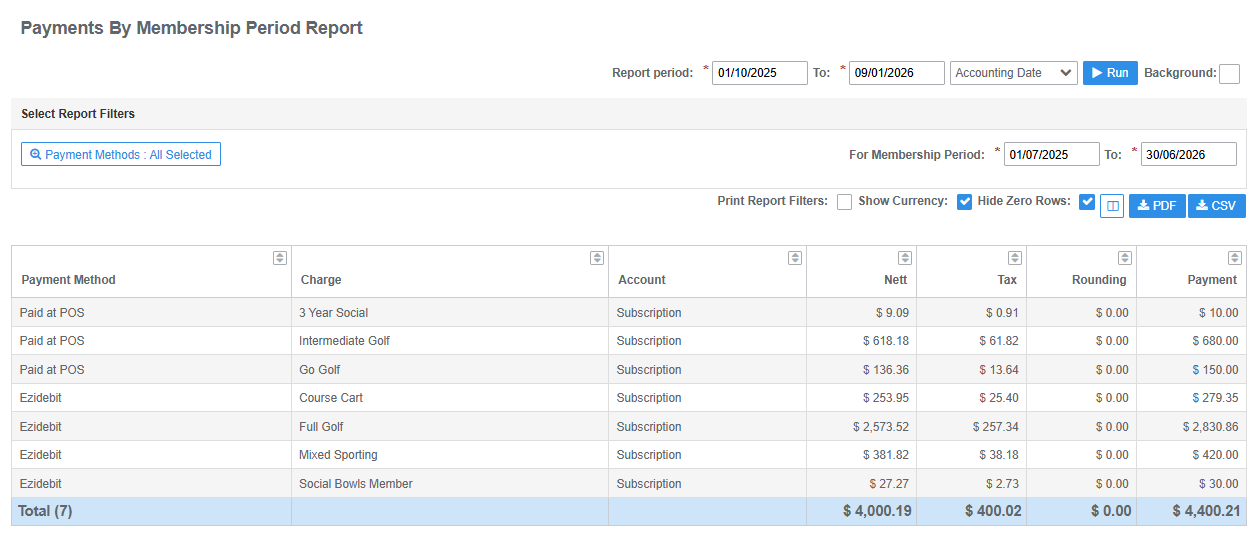
Payments by Membership Period
Membership invoice payments received for report period and membership period
- Returns results by Payment Method
- Output includes Payment Method, Charge Type, Account Type, Nett, Tax and Payment Amounts
- Use filters to select Payment Methods and set membership period
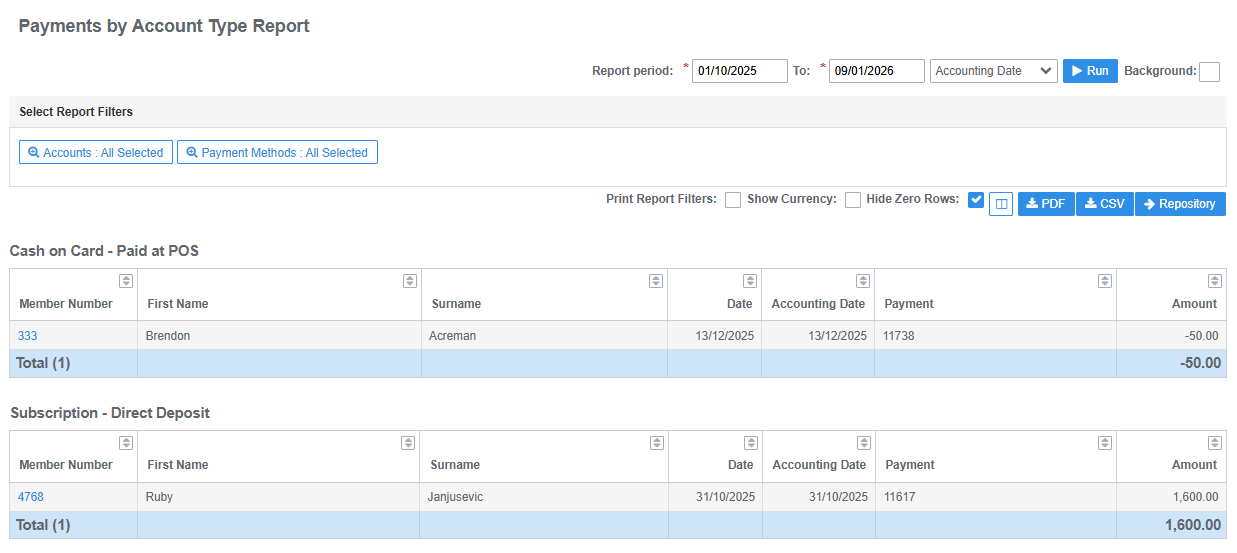
Payments by Account Type
Payments processed to account/s for report period
- Returns results by Account Type and Payment Method
- Output includes Member Number, First Name, Surname, Payment Date, Accounting Date, Payment Reference and Amount
- Use filters to select Account Types and Payment Methods
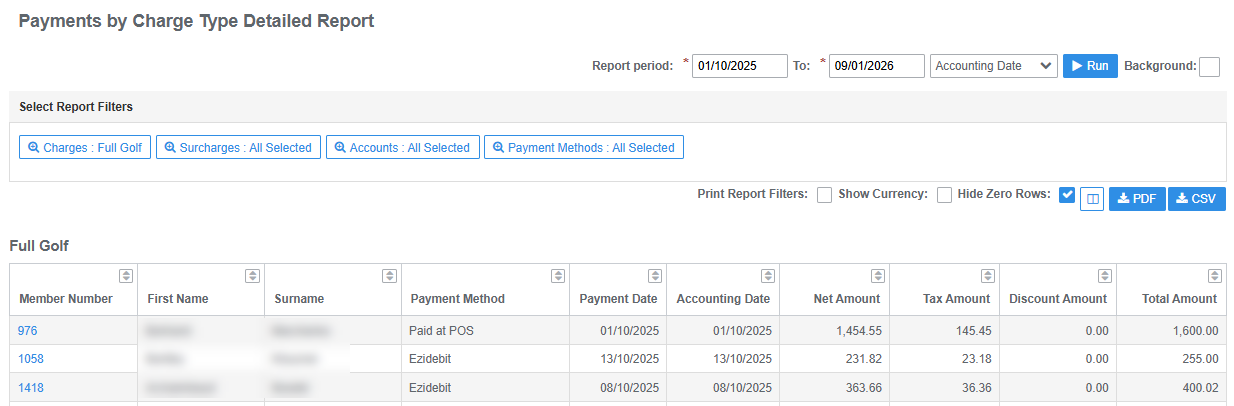
Payments by Charge Type - Detailed
Payments allocated to charges for report period. Includes member data
- Returns results by Charge Type
- Output includes Member Number, First Name, Surname, Payment Method, Payment and Accounting Dates, Nett Amount, Tax Amount and Total Amount
- Use filters to select Charge Types, Surcharges, Account Types and Payment Methods
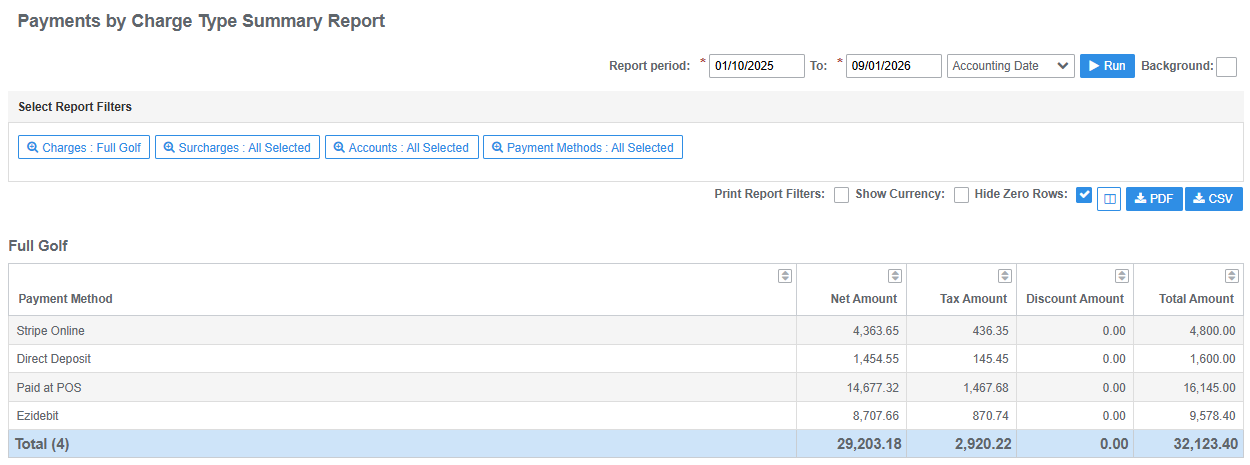
Payments by Charge Type - Summary
Total payments allocated to charges for report period
- Returns results by Charge Type
- Output includes Payment Method, Nett Amount, Tax Amount, Discount Amount (if applicable) and Total Amount
- Use filters to select Charge Types, Surcharges, Account Types and Payment Methods
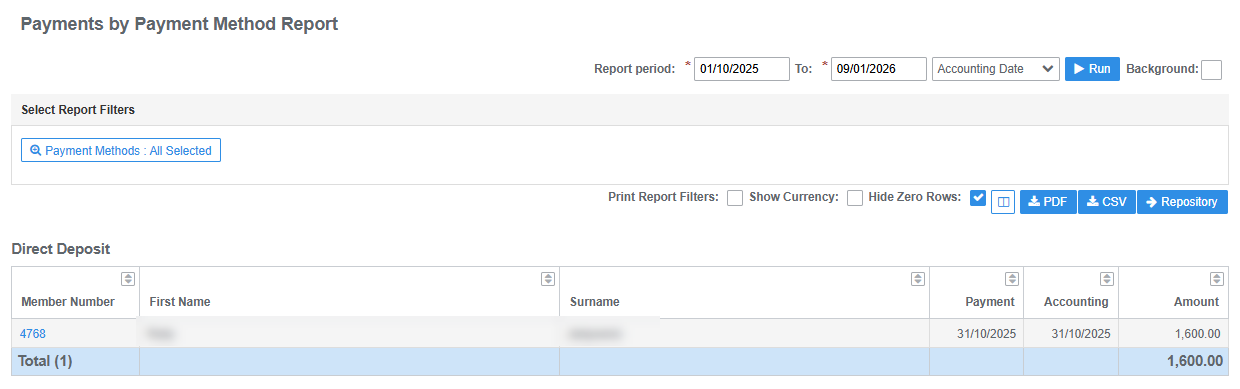
Payments by Payment Method
Total payments processed for report period. Includes member data
- Returns results by Payment Method
- Output includes Member Number, First Name, Surname, Payment Date, Accounting Date and Payment Amount
- Use filters to select Payment Methods
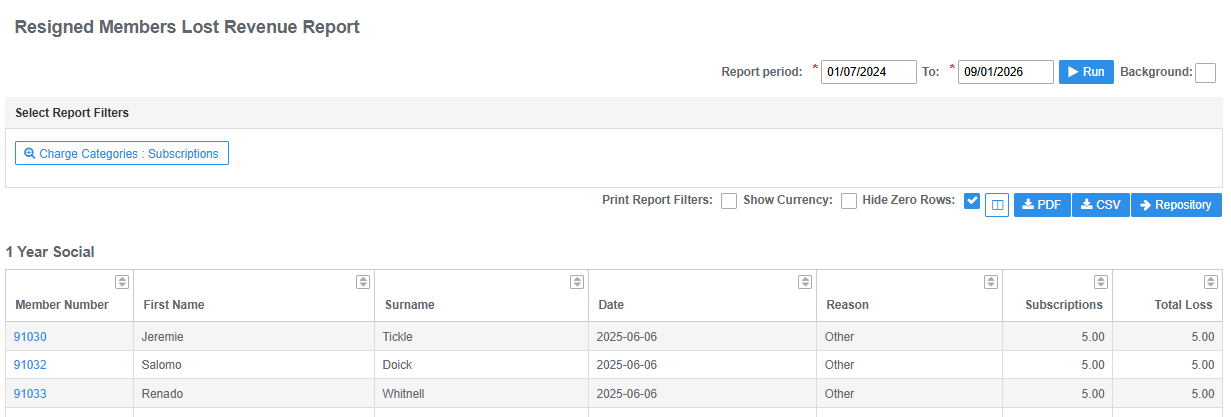
Resigned Members Lost Revenue
Value of resigned members by group type for report period (based on group category charges)
- Returns results by membership Group Type
- Output includes Member Number, First Name, Surname, Resignation Date, Resignation Reason, Charge Category Amount and Total Loss
- Use filter to select Charge Categories
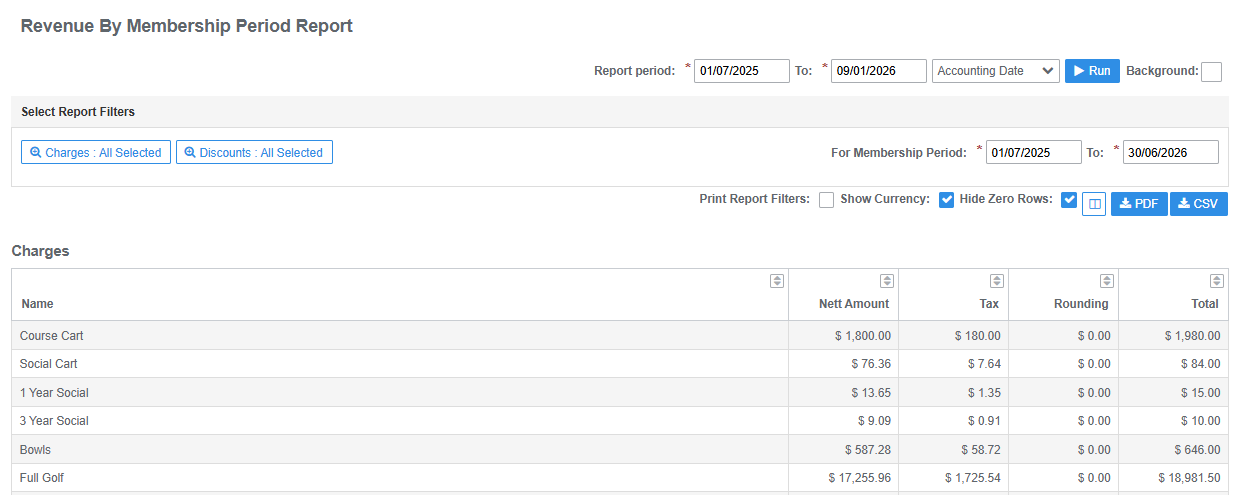
Revenue by Membership Period
Current value summary for revenue received by charge type for report period and membership period
- Returns results by Charge Type
- Output includes Charge Type, Total Nett Amount, Total Tax Amount and Total Gross Amount
- Use filter to select Charge Types
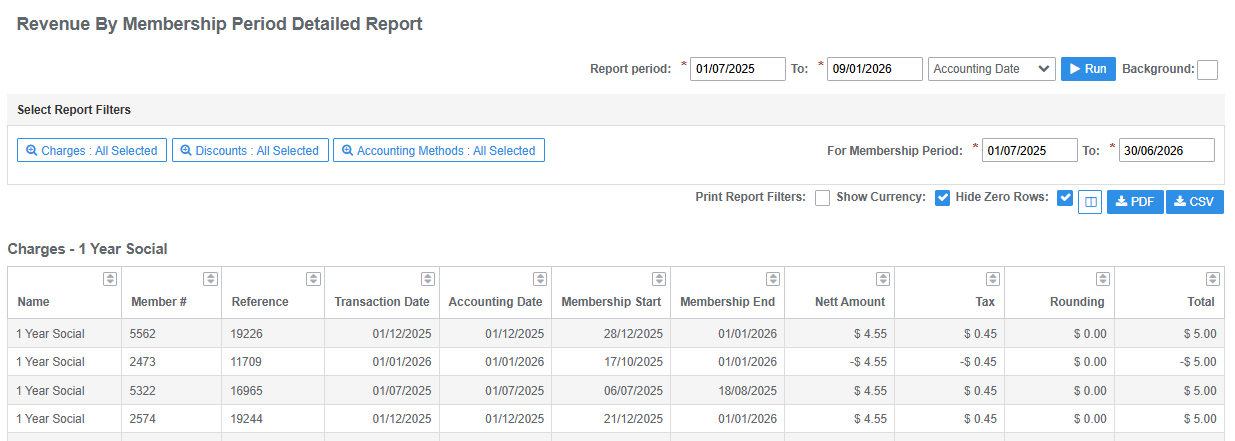
Revenue by Membership Period - Detailed
Current value of revenue received by charge type for report period and membership period. Includes member data
- Returns results by Charge Type
- Output includes Charge Type, Member Number, Invoice Reference, Transaction and Accounting Dates, Membership Period Start and End Dates, Nett Amount, Tax Amount and Total Gross Amount
- Use filter to select Charge Types
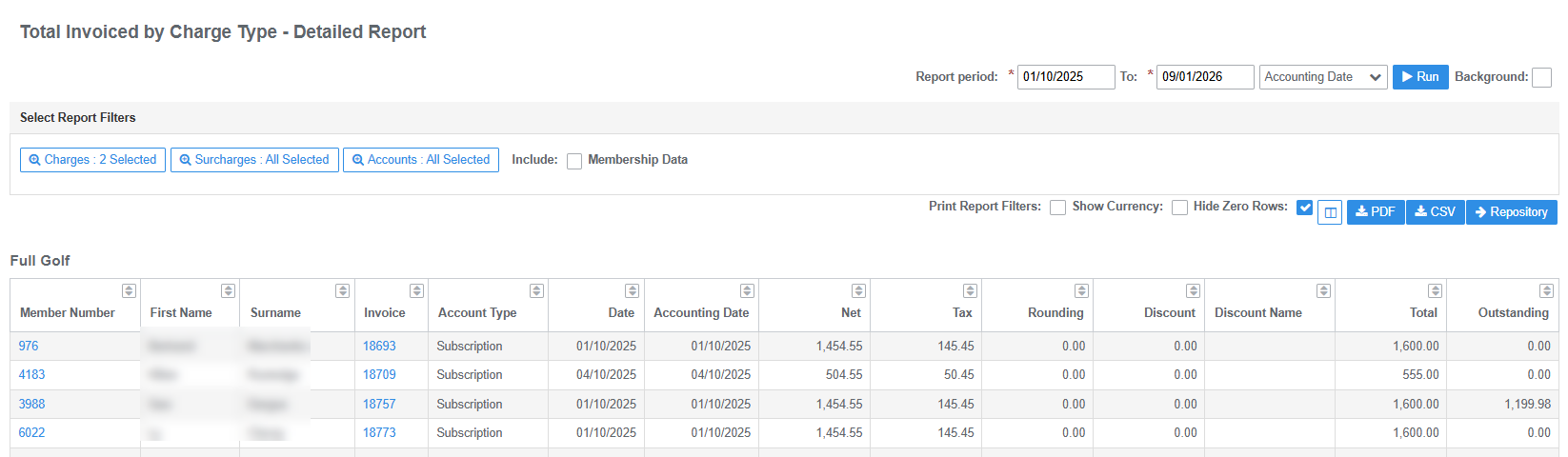
Total Invoiced by Charge Type - Detailed
All charges for invoices and credit notes (including reversals) issued during report period. Includes member data
- Returns results by Charge Type
- Output includes Member Number, First Name, Surname, Invoice Reference, Account Type, Invoice and Accounting Dates, Nett Amount, Tax Amount, Total Gross Amount and current Amount Outstanding
- Use filter to select Charge Types, Surcharges and Account Types. Tick the Membership Data check box to include Membership Group and Membership Start and End Dates in report results
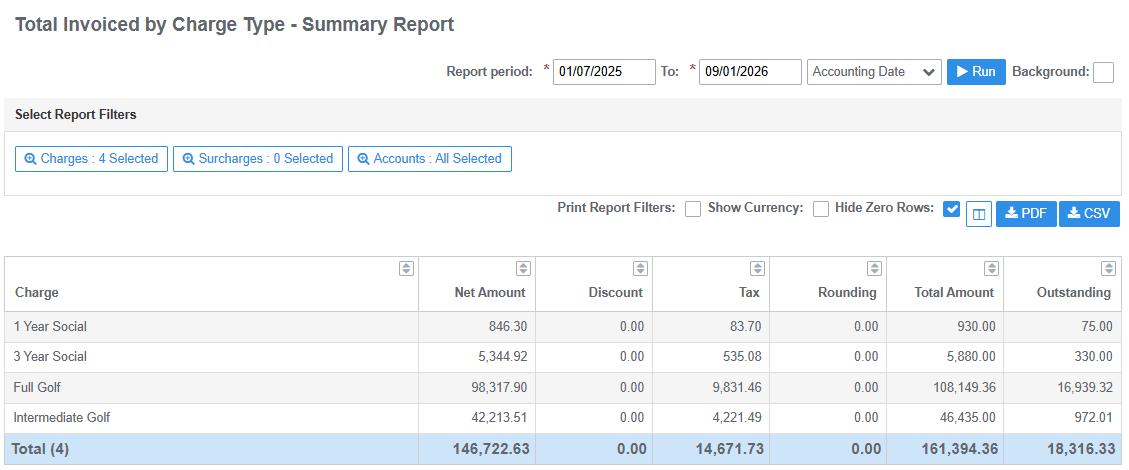
Total Invoiced by Charge Type - Summary
Total of all charges for invoices and credit notes (including reversals) issued during report period
- Returns results by Charge Type
- Output includes Charge Type, Nett Amount, Discount (if applicable), Tax Amount, Total Gross Amount and current Amount Outstanding
- Use filter to select Charge Types, Surcharges and Account Types
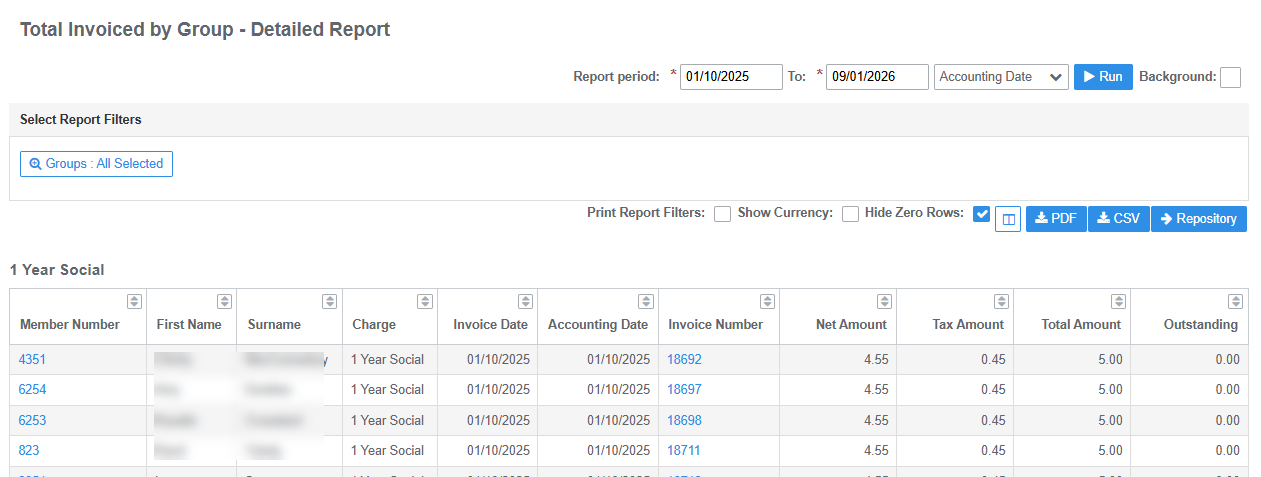
Total Invoiced by Group - Detailed
Total of all charges invoiced for membership groups during report period. Includes member data
- Returns results by Group Type
- Output includes Member Number, First Name, Surname, Charge Type, Invoice and Accounting Dates, Invoice Reference, Nett Amount, Discount (if applicable), Tax Amount, Total Gross Amount and current Amount Outstanding
- Use filter to select Group Types
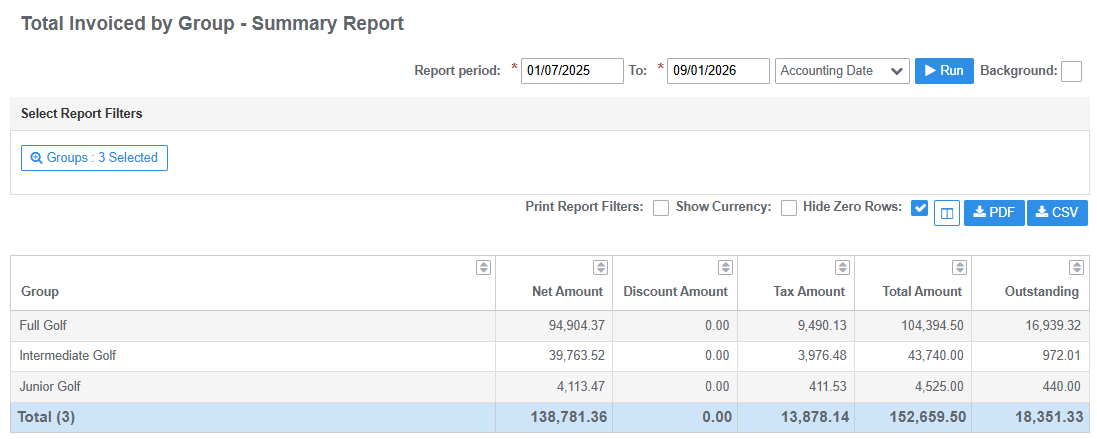
Total Invoiced by Group - Summary
Total of all charges invoiced for membership groups during report period
- Returns results by Group Type
- Output includes Group Type, Nett Amount, Discount (if applicable), Tax Amount, Total Gross Amount and current Total Amount Outstanding
- Use filter to select Group Types
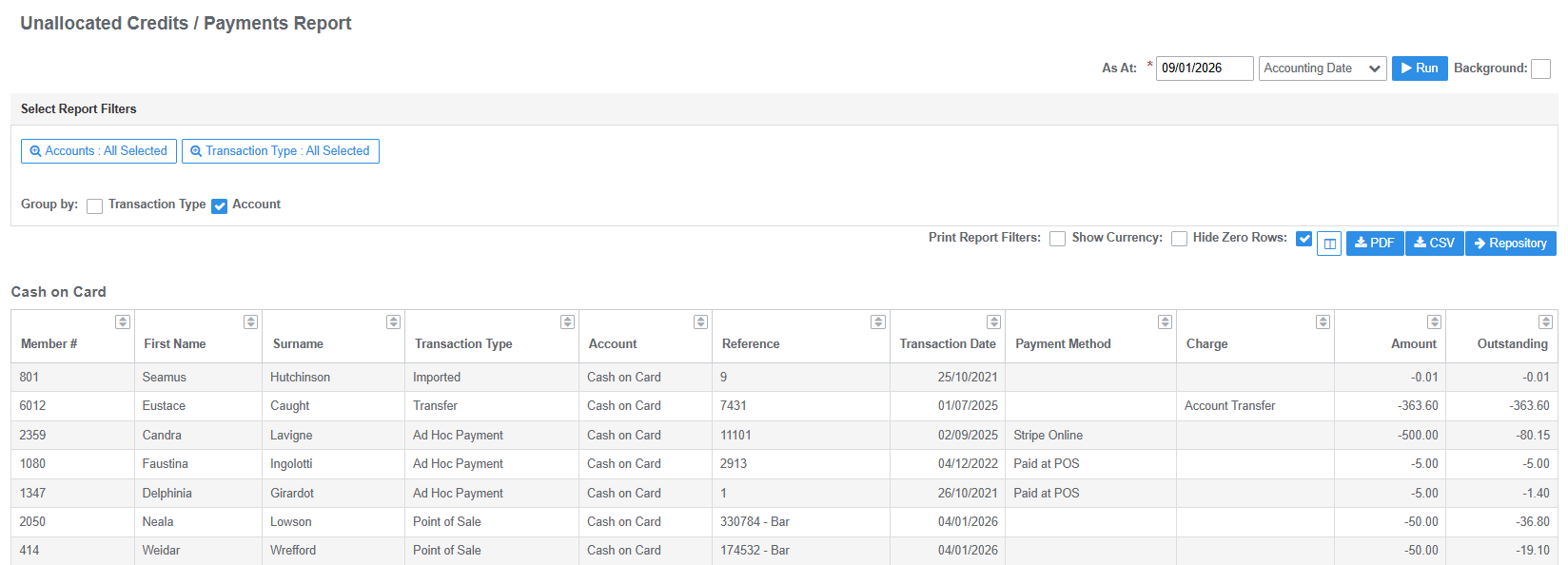
Unallocated Credits / Payments
Detailed report of credits issued with outstanding balances (not allocated to a debit transaction) as at date. Credits can include payments, credit notes, external transactions (prize credits) and POS transactions (top-ups). Includes member data
- Returns results by Member, Transaction Type or Account Type
- Output includes Members Number, First Name, Surname, Transaction Type, Account Type, Reference, Transaction Date, Payment Method, Charge Type, Amount, Amount Outstanding
- Use filter to select Account Types and group results by Transaction Type or Account
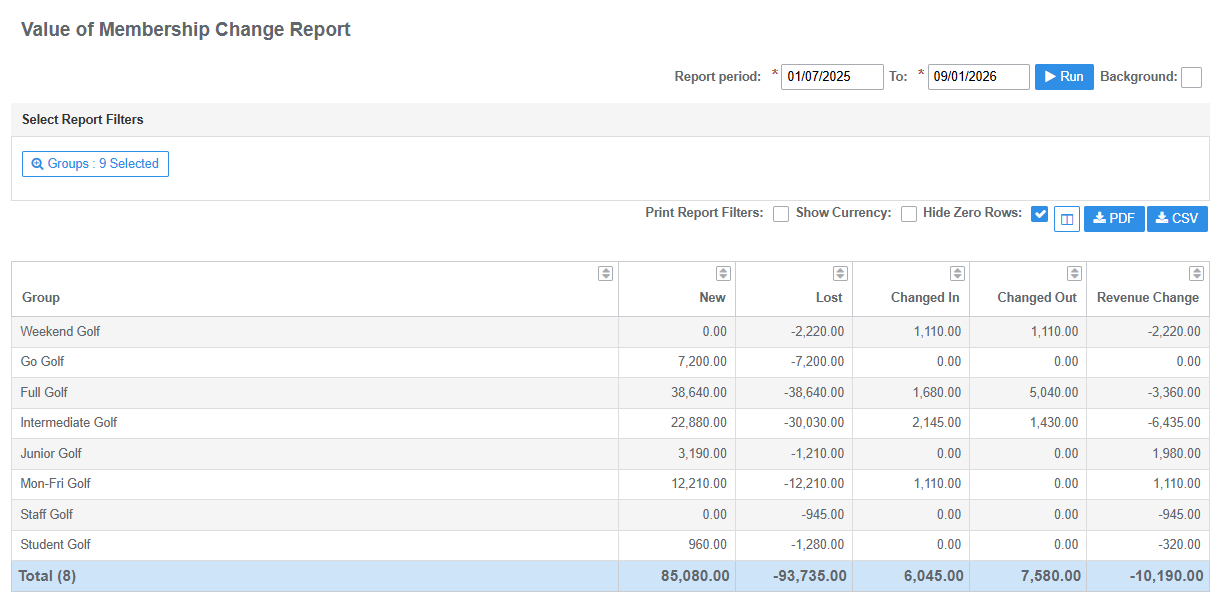
Value of Membership Change Report
Summary of new and lost revenue based on membership group changes for report period
- Returns results by Group Type
- Output includes Group Type, New Revenue, Lost Revenue, Amount Changed In, Amount Changed Out, Revenue Change Nett
- Use filter to select Group Types
Was this article helpful?
That’s Great!
Thank you for your feedback
Sorry! We couldn't be helpful
Thank you for your feedback
Feedback sent
We appreciate your effort and will try to fix the article