The Member Record contains all information and data associated with an individual member. You can use it to view, manage and update the member’s personal details, memberships and financial information.
A summary of the member’s information is displayed in the Member Summary at the top of the screen. This summary remains visible as you navigate through the Member Record. Use the Member Action button to move between the different areas of the record.
The following sections provide an overview of the key areas within a Member Record and the actions available in each.
Member Details
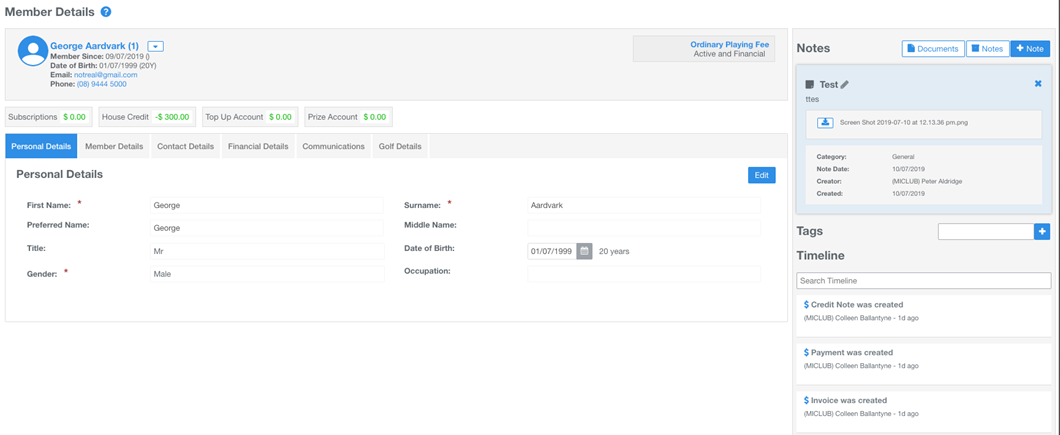
The Member Details screen is displayed when you open a Member Record using a direct link from a search result or the Members Directory.
This screen provides access to the member’s information and a range of actions through the available links, tabs and buttons.
- Field (Tab) Sections: Organise member information into sections for easy access and management. Default sections include Personal Details, Member Details, Contact Details, Financial Details, Communication and Golf Details. Click the Edit button within a section to update its information. Custom fields can also be created and added to any field section.
- Notes and Tags: Add notes and upload documents to the Member Record. Create tags to identify specific member groups and support targeted communications.
- Timeline: View a record of activity associated with the member, including the actions performed and the MiMembership user or integration responsible for each action.
Member Memberships
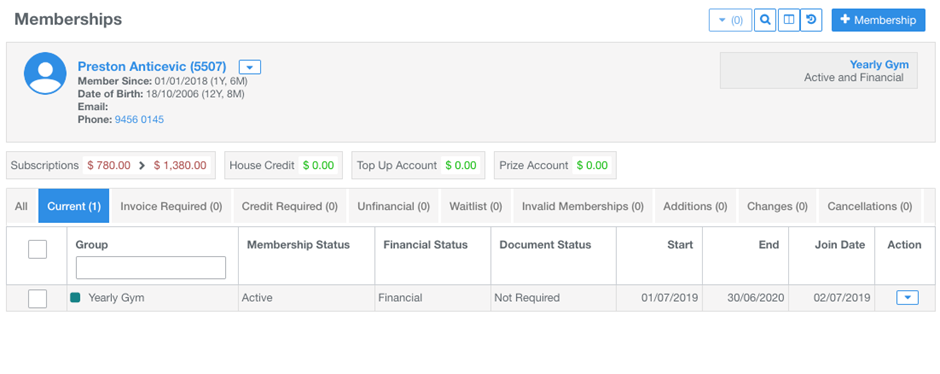
The Member Memberships section displays a history of the member’s current and past membership group activity, organised under different status tabs. From here, you can manage existing memberships and add new membership groups.
The available status tabs include:
- All: Displays all current and past membership group activity.
- Current: Displays the membership groups assigned to the member for the current membership period.
- Invoice and Credit Required: Identifies membership group records that require an invoicing or credit action.
- Unfinancial: Identifies membership groups linked to invoices that are in default and require further action.
- Waitlist: Displays membership groups for which the member has a waitlist status.
- Invalid: Identifies membership records where the member’s information does not meet the membership group’s restriction requirements.
- Additions, Changes and Cancellations: Displays future-dated actions scheduled for membership groups, including additions, changes and cancellations.
Member Accounts
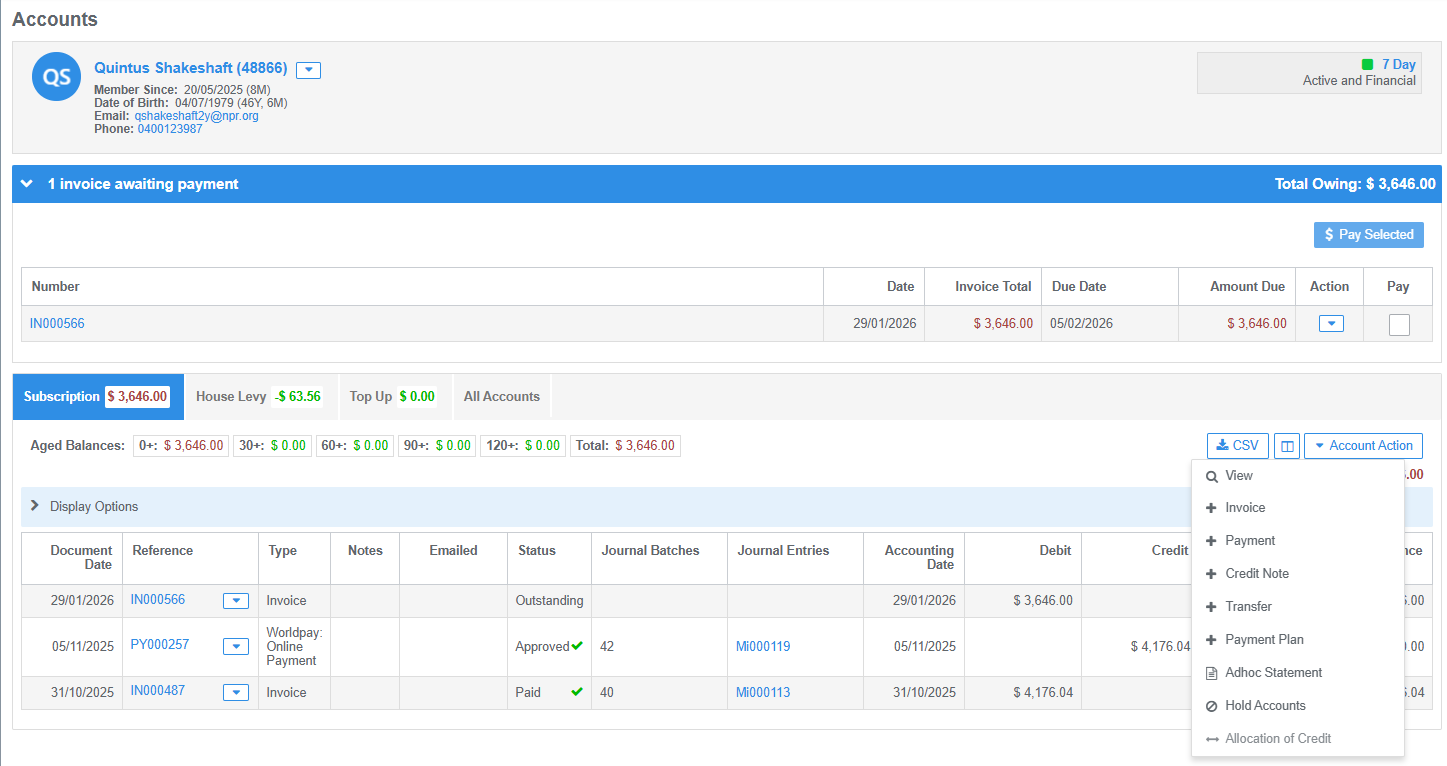
The Member Accounts section provides a ledger of the member’s account transactions. You can review financial activity, manage outstanding invoices and allocate payments that are awaiting allocation.
Key features include:
- Awaiting Displays: Expand the relevant display bars to review and action outstanding invoices or allocate payments awaiting allocation.
- Account Tabs: View the member’s account types and their corresponding balances.
- Aged Balances: Review outstanding balances by age, including the total amount outstanding.
- Account Action: Use this button to access account management functions, including adding payments, creating ad hoc invoices or credit notes, generating statements, placing accounts on hold and processing account credit transfers.
Was this article helpful?
That’s Great!
Thank you for your feedback
Sorry! We couldn't be helpful
Thank you for your feedback
Feedback sent
We appreciate your effort and will try to fix the article