Summary video:
The Action and Bulk Action buttons provide users with a menu of available actions. These buttons appear alongside member names, invoices, payments, memberships, and other records. The available menu options vary depending on the user's location within the database or repository.
Action Buttons
The single Action button allows you to view and select actions related to the specific item it appears next to.
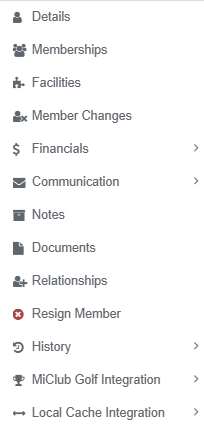
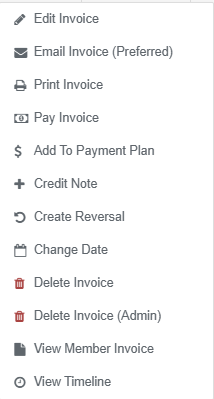
For example, the Member Actions button provides options that take you to the relevant section of an individual member's record. Similarly, the Invoice Actions button displays options that can be applied to the selected invoice, such as Pay Invoice.
| Action Button | Member Actions | Invoice Actions |
 |  |  |
Bulk Actions
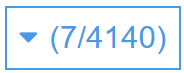
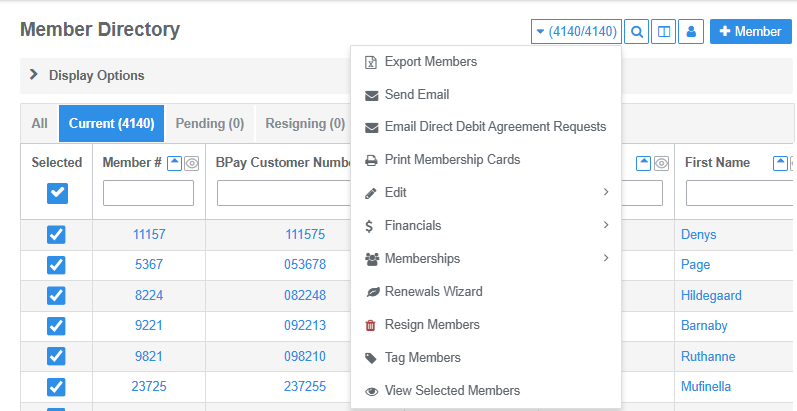
Bulk Actions allow you to perform an action on multiple selected items at once. The Bulk Actions button is located in the top-right corner of repositories and becomes active when you select one or more items, such as members, invoices, or payments.
The number displayed in brackets indicates how many items are currently selected out of the total number of available items.
To select items for a bulk action:
- Select all items: Click the checkbox in the Selected column header of the data table to select all listed items.
- Select individual items: Use the checkboxes in the rows below the header to select specific items.
Once you have selected the required items, click Bulk Actions and choose the action you want to apply to your selection.
| Bulk Actions Button | Member Bulk Actions |
 |  |
Was this article helpful?
That’s Great!
Thank you for your feedback
Sorry! We couldn't be helpful
Thank you for your feedback
Feedback sent
We appreciate your effort and will try to fix the article