Within the MiMembership database, blue text indicates a clickable link. On Essentials sites, links are displayed in green. These links provide a quick way to navigate the site and access additional information.
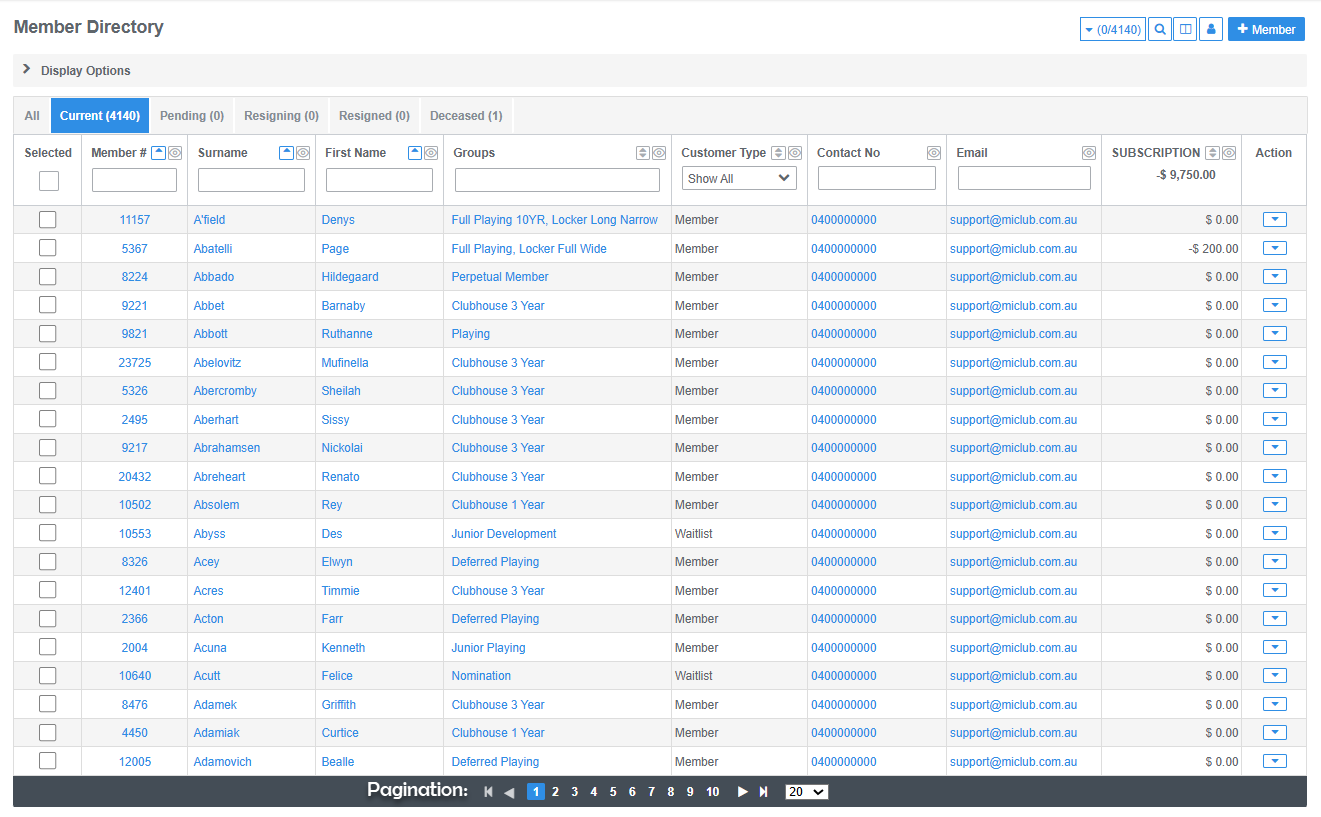
A black bar at the bottom of a table indicates that more data is available to display.
Example: Members Directory
In the Members Directory, you can click on the following items to access related information or perform an action:
- Member name: View the member's personal details.
- Group: View the member's membership details.
- Email address: Send the member an email.
- Balance: View the member's account details.
Pagination
Pagination indicates that a table contains more data than can be displayed on a single page.
Use the navigation arrows at the bottom of the table to move between pages. You can also select how many entries to display per page to suit your preferences.
Was this article helpful?
That’s Great!
Thank you for your feedback
Sorry! We couldn't be helpful
Thank you for your feedback
Feedback sent
We appreciate your effort and will try to fix the article