Send an SMS message to individually selected members (recipients). During this process you can:
- add document links i.e. invoices or statements
- add URL links to external web pages
Step by Step Guide
Step 1 - Open the send SMS tool and add recipient/s
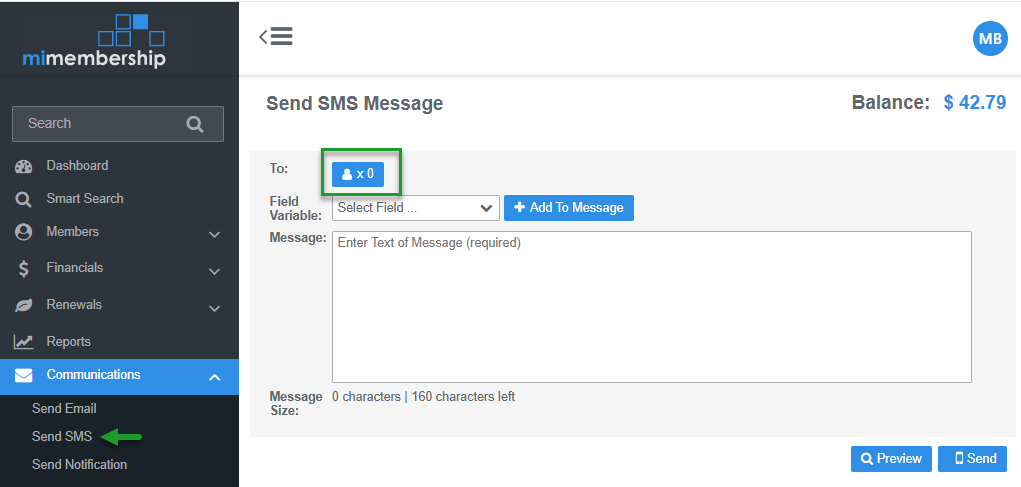
- From the main menu select Communications and Send SMS
- Click the add Recipient x 0 button. This action will open the Add Members dialog box
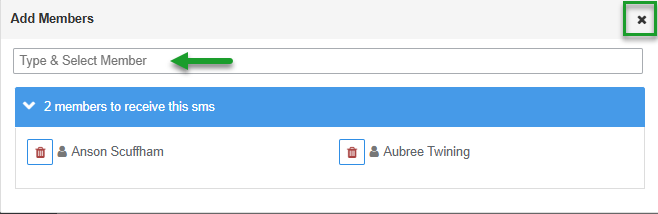
- Type the recipient name or member number in the Select Member field
- Repeat to add multiple members to the same SMS
- Expand the Members to receive this SMS display to view selected members - click the Bin icon to delete any members from the recipient list
- Click the X to Close the window and continue
Step 2 - Enter SMS content
The club SMS Global account balance is displayed top right of screen. Top-up as required before sending SMS
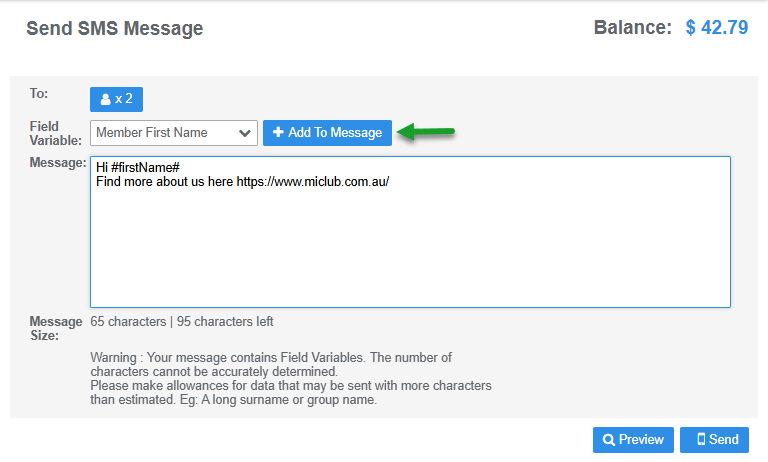
- Enter Message Body
- Use the character count at the bottom of the screen as a guide as a guide to keep your SMS under 160 characters (1 SMS). Returns and spaces are included in count
- Click the +Add To Message button to add Field Variable options to auto populate key information
- Document links: are only available from the Field Variable options when the SMS is initiated from the document repository (i.e. invoices or statements)
- Website links: when a website link pasted or typed into the body of the message starts with www. or https:// it will be automatically detected and sent as a clickable URL
Step 3 - Preview message and confirm send
- (Optional) click the Preview button to open the preview window and view message and any field variable data populated
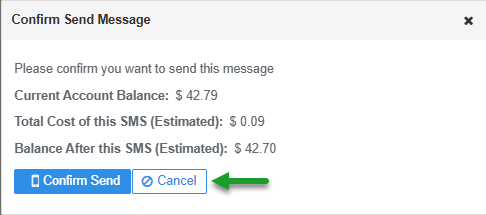
- Click the Send button. This action opens the confirm dialog window:
- Check there is enough credit to send your message(s). If the Current Balance is less than the Total Estimated Cost of sending the message click Cancel, top-up the account and return to send the message
- Click the Confirm Send button
Was this article helpful?
That’s Great!
Thank you for your feedback
Sorry! We couldn't be helpful
Thank you for your feedback
Feedback sent
We appreciate your effort and will try to fix the article