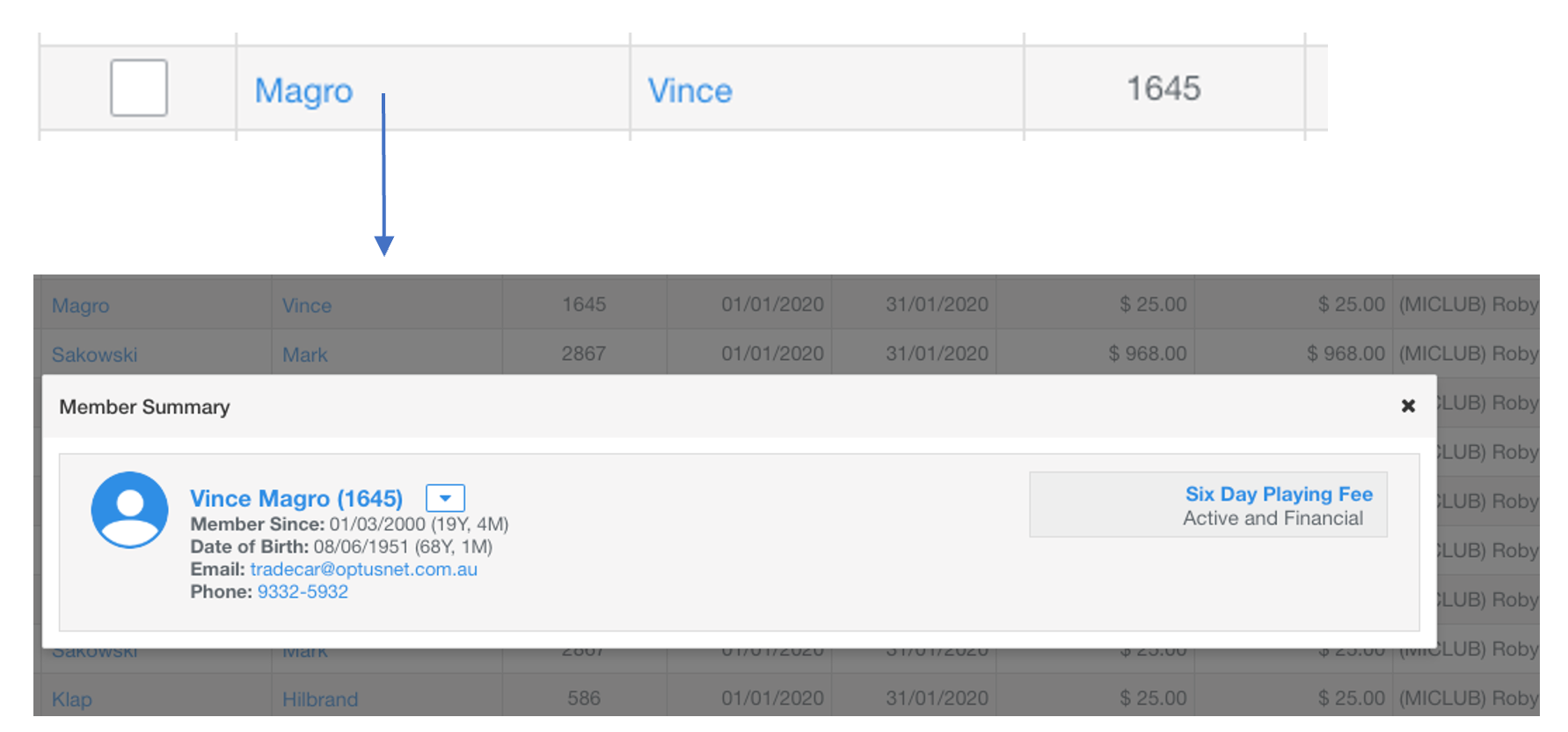
The Member Summary Pop Up provides a quick way to view and navigate to more information about a member.
- Click on a members name in any repository (excluding Member Directory)
- From the Member Summary Pop Up the user can:
- View member and membership details
- Navigate using actions or links
- Dismiss the summary panel by clicking on the X in the top right
Tip: From the invoice repository click on a member’s name and navigate to their membership details
Was this article helpful?
That’s Great!
Thank you for your feedback
Sorry! We couldn't be helpful
Thank you for your feedback
Feedback sent
We appreciate your effort and will try to fix the article