Summary video:
The Action and Bulk Action buttons give the user a menu of actions to perform. They are located next to members, invoices, payments, memberships, etc. The menu options change depending on the context
Action Buttons
Wherever you see this singular action button you can click to view actions relating to the item that the button is next to. For example, the member actions will redirect you to the selected area within the individual member record or the invoice actions will provide options to apply to the invoice selected i.e. Pay Invoice
| Action Button | Member Actions | Invoice Actions |
 | 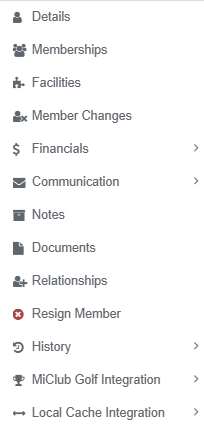 | 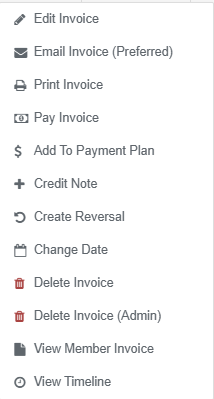 |
Bulk Actions
Bulk actions give the user a menu of actions to perform against a number of selected items. This button, located on the top right of repositories, will be active when you select a number of members, invoices, payments, etc. The number in brackets () indicates the number of items selected of the number of available items

Click the check box in the Selected column header of a data table to bulk select all listed items to apply the selected bulk action to, or use the check boxes below the header to individually select some of the items
| Bulk Action Button | Member Bulk Actions |
 | 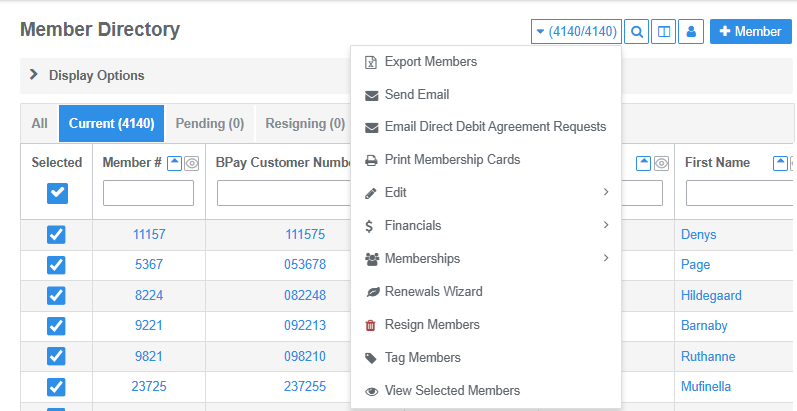 |
Was this article helpful?
That’s Great!
Thank you for your feedback
Sorry! We couldn't be helpful
Thank you for your feedback
Feedback sent
We appreciate your effort and will try to fix the article