The Member Record contains all information and other data specific to one member. You can edit, manage and update personal, membership and financial details about the member. A summary of the members information is maintained in the Member Summary, which remains at the top of screen whilst you are within the member record - use the Member Action Button to navigate the member record.
Below is a brief outline for each of the key areas within a member record.
Member Details
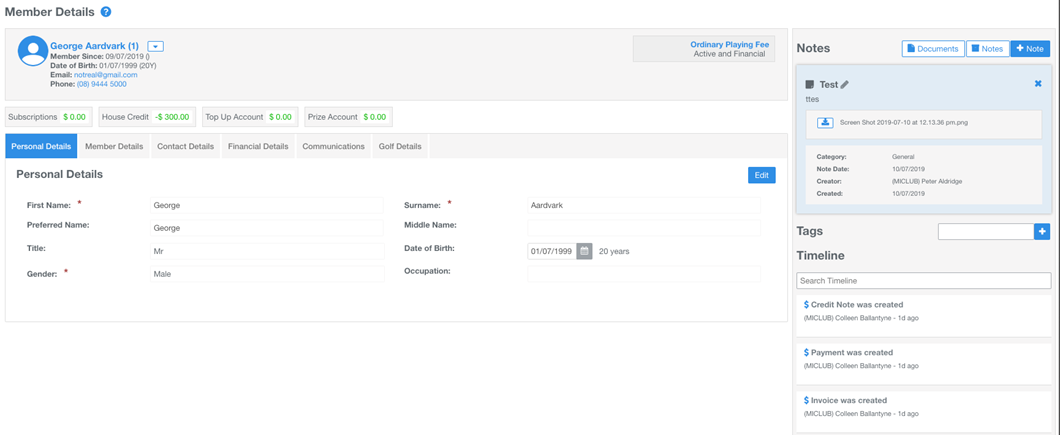
The Member Details is the screen loaded first when you click on one of the direct links to the member record from a search or the members directory. From this screen you can perform a number of actions from the various links and tabs available.
- Field (Tab) Sections: organise your members details into field sections. Default field sections include Personal Details, Member Details, Contact Details, Financial Details, Communication and Golf Details. Click the Edit buttons under each field tab to update information. Custom fields can be created and added to any field section
- Notes and Tags: create notes and upload documents to the member record. Create Tags to identify and communicate to different member groups
- Timeline: records member activity and the MiMembership User or integration that completed the action/s
Member Memberships
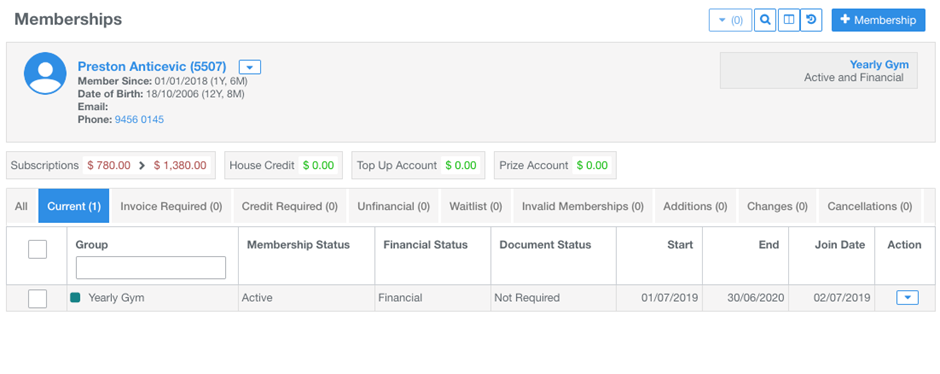
A list of current and past membership group activity is recorded under the different status tabs. Manage current and add membership groups.
- All: all current and past membership group activity
- Current: the membership groups assigned to the member for the current membership period
- Invoice and Credit Required: a membership group action is required
- Unfinancial: the invoice linked to the membership group is in default. A membership group action is required
- Waitlist: the membership group has a waitlist status applied
- Invalid: the members information does not match to the membership group restriction requirements
- Additions, Changes and Cancellations: future dated actions applied to the membership groups
Member Accounts
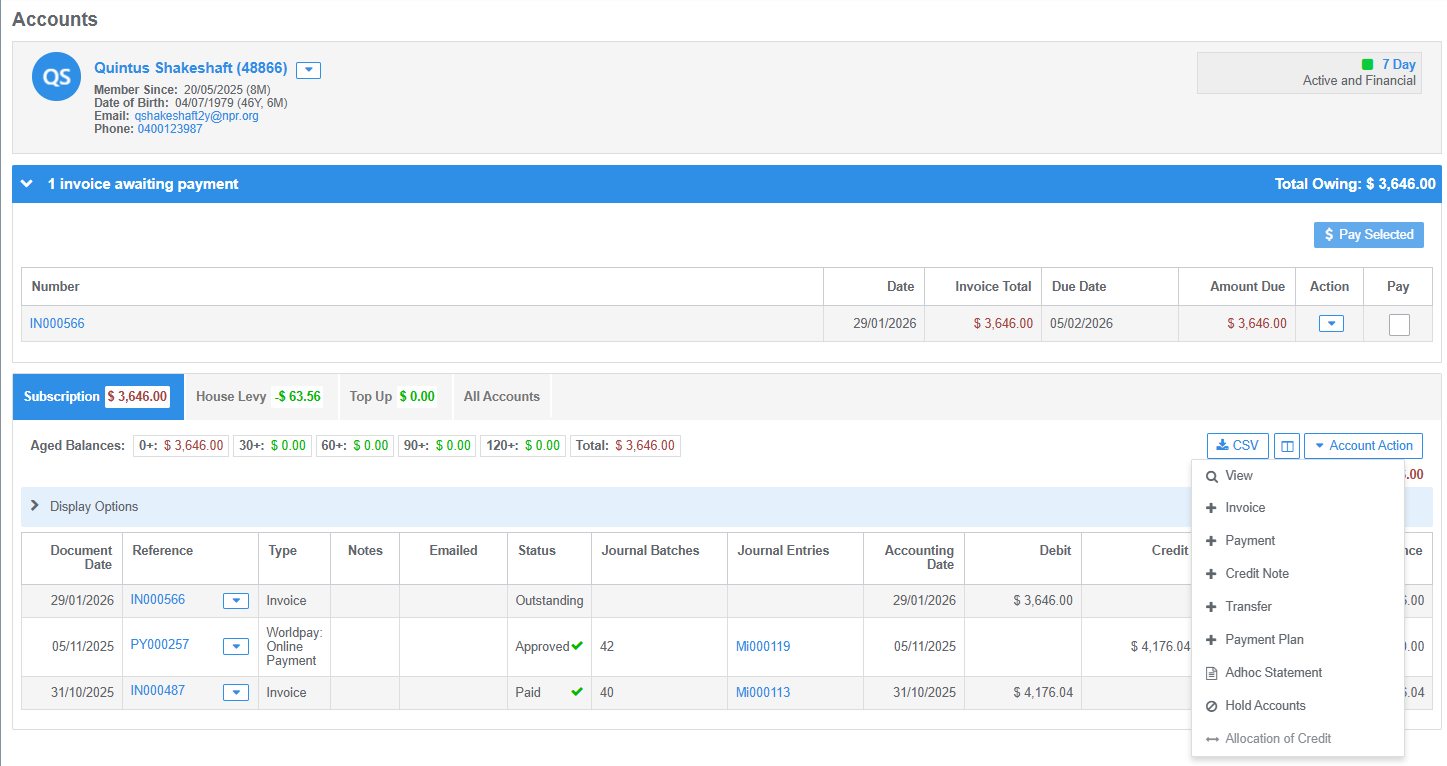
A ledger of all account/s transaction activity for the member. Action outstanding invoices and payments awaiting allocation.
- Awaiting Displays: expand the display bars to either action outstanding invoices or allocate payments
- Account Tabs: display account types and balances
- Aged Balances: display aged balances by days and total outstanding
- Account Action: click this button to add payments, create an ad-hoc invoice or credit note, generate a statement, put accounts on hold or action account credit transfers
Was this article helpful?
That’s Great!
Thank you for your feedback
Sorry! We couldn't be helpful
Thank you for your feedback
Feedback sent
We appreciate your effort and will try to fix the article