If MiMembership is integrated to the MiClub Golf database all golf memberships require the “golf” facility to be added in configuration settings. Without this facility member records will not integrate to MiClub Golf. As as a result, the member cannot access golf bookings.
When a new membership group is created and the golf facility is added AFTER members have already been added to the group, then the golf facility is to be added manually. This process is outlined in the steps below.
e.g. a new Summer 7 Day membership group is created without the golf facility and 5 members were added to this new group. The golf facility must be added on this membership group in configuration, then the golf facility added manually to the membership group for these 5 members.
Add Golf Facility to the Membership Group (configuration)
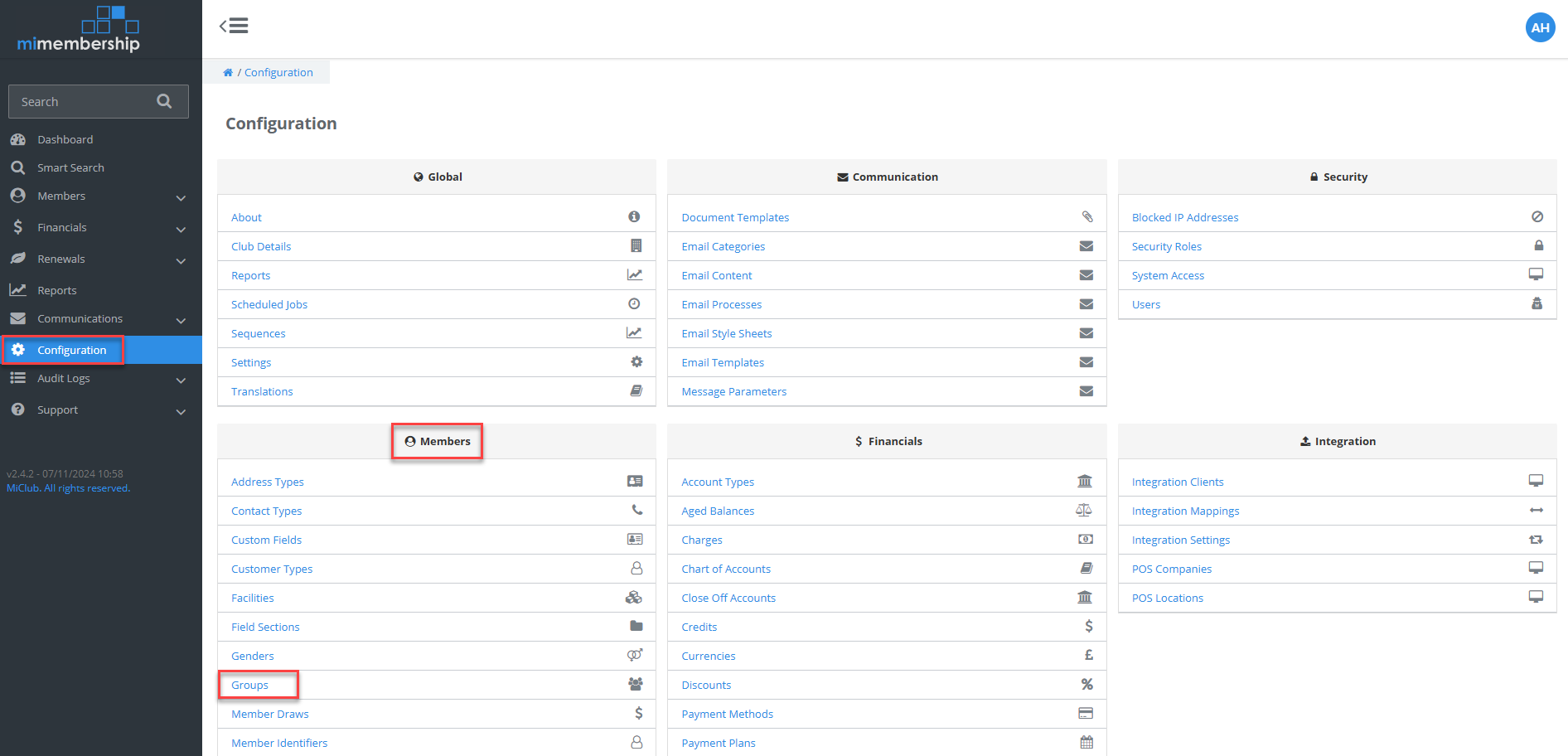
Step 1 - Navigate to Configuration and click Groups under Members heading
Step 2 - Click Membership in Group Types
Step 3 - Click on name of group golf facility is to be added to
Step 4 - Click on Facilities tab and then + Facility Access button
Step 5 - Select Golf
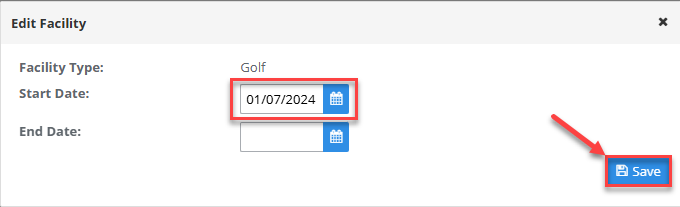
Step 6 - Select Start Date and then click Save




Add Golf Facility to the Member's Membership Group (member record)
Add Golf facility onto member's membership group using one of the below options:
Option 1 - Via member's Memberships page
Step 1 - Search for member using the Quick Search on the main menu
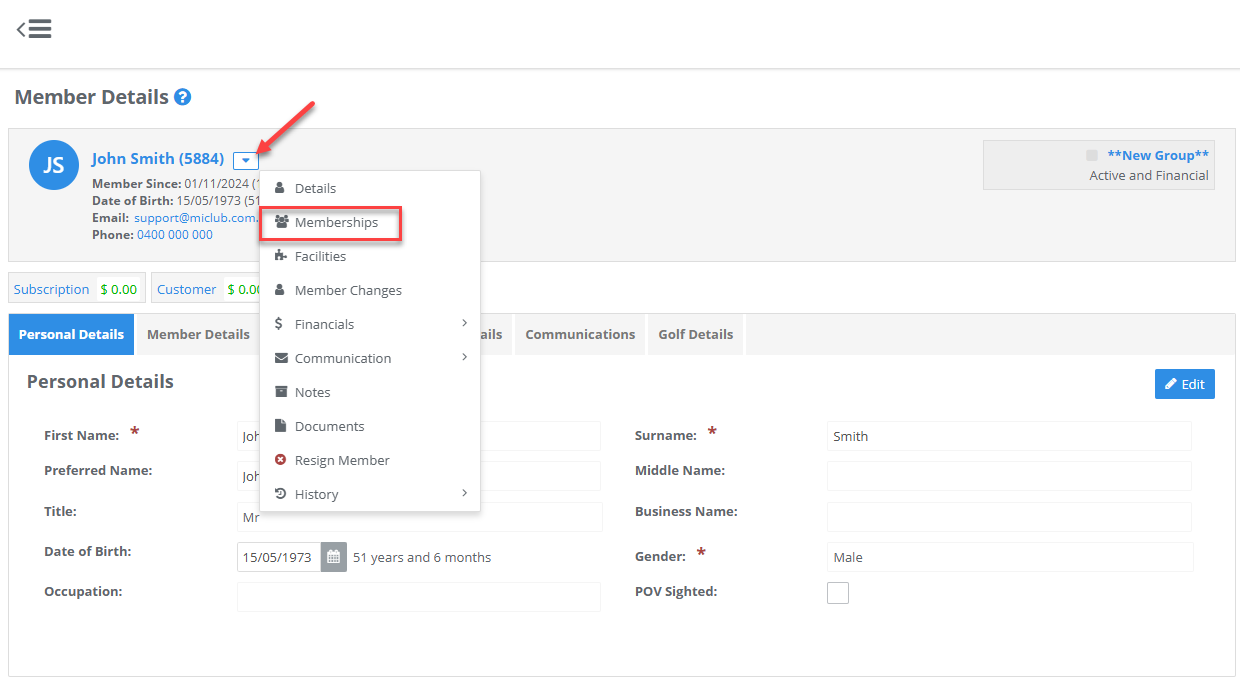
Step 2 - From the Member Action drop menu select Memberships
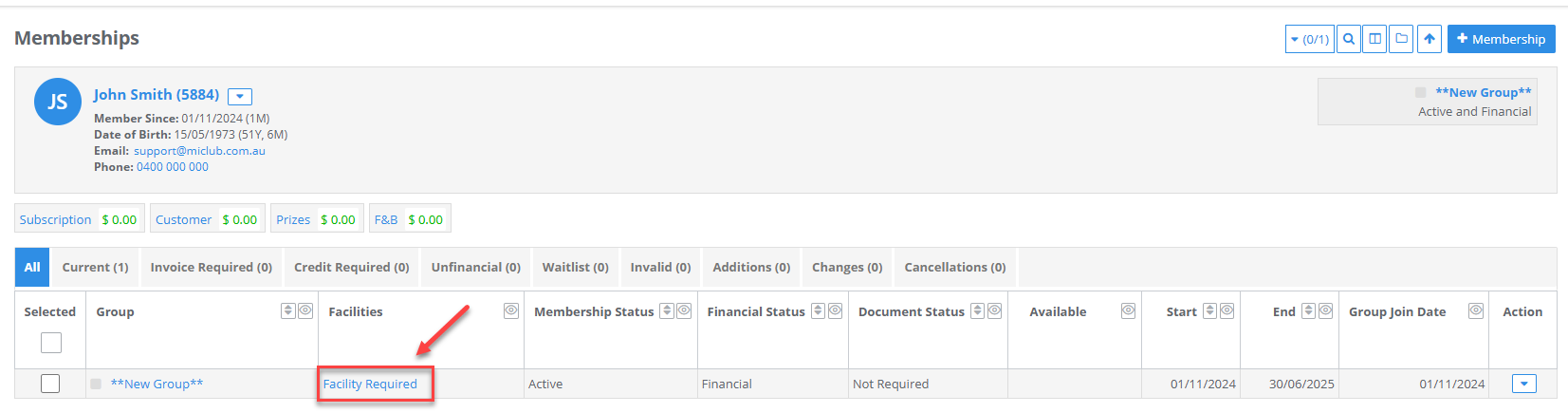
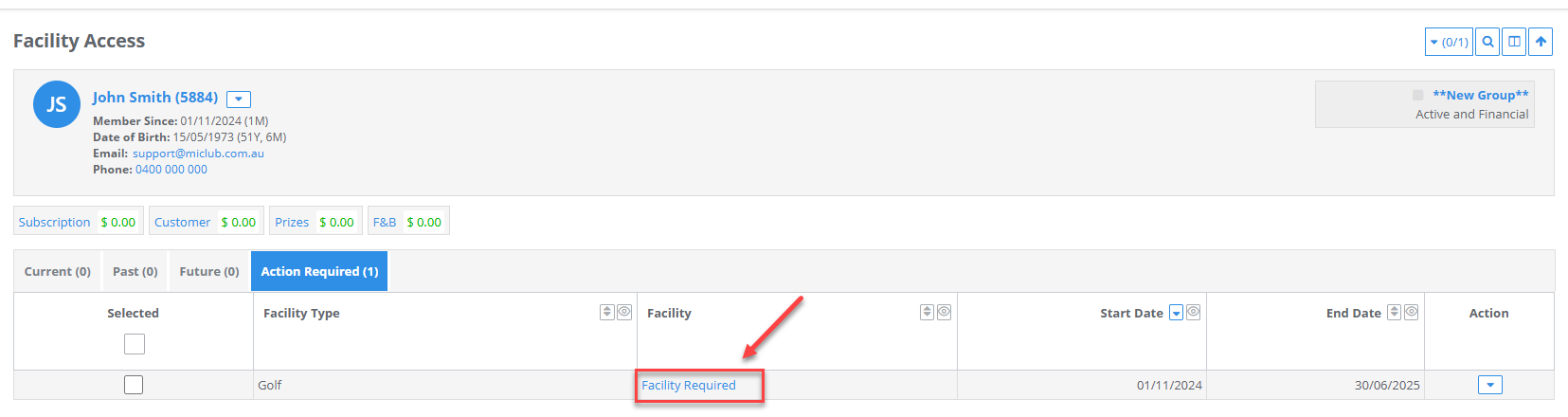
Step 3 - Click Facility Required on membership group line
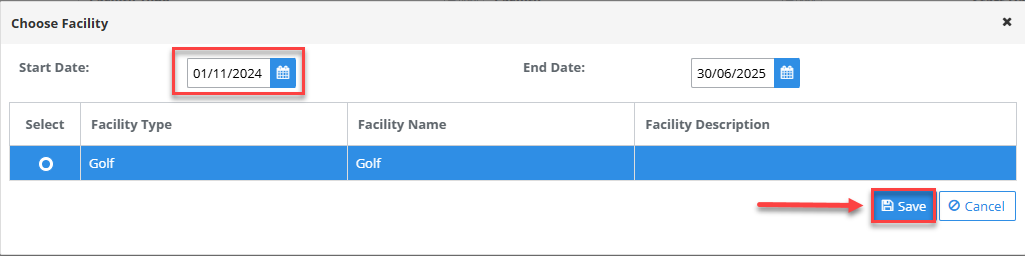
Step 4 - Click Facility on Golf Facility Type line
Step 5 - Select Start Date and click Save
Option 2 - Via Facilities Repository
Step 1 - Click Members and then Facilities on the main menu
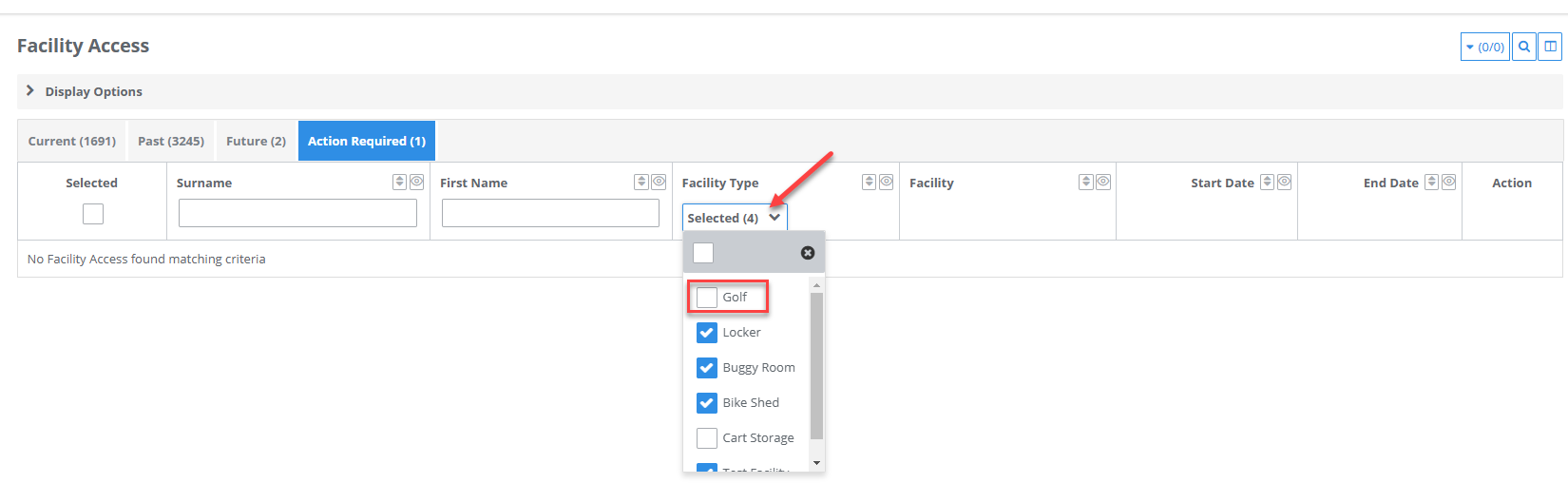
Step 2 - Click Action Required tab
Step 3 - Click drop down menu in Facility Type column and tick Golf. This will then show members with groups
requiring the Golf Facility.
Step 4 - Click Facility Required on 1st member
Step 5 - Select Start Date and click Save
Step 6 - Repeat steps 4 & 5 until there are no members requiring the Golf Facility remaining



Was this article helpful?
That’s Great!
Thank you for your feedback
Sorry! We couldn't be helpful
Thank you for your feedback
Feedback sent
We appreciate your effort and will try to fix the article